Industry playbooks
Florist Social Media Post Ideas: 4 Examples
By Memes.ai
Updated October 16, 2026 · 6 min read
A florist's post can do more than show a finished bouquet. Explain the order deadline, the arrangement size, the collection process or a choice between two palettes. Match each caption to flowers you actually have, and make substitutions clear before a customer orders. Below are four finished visual concepts and example captions, with image briefs you can adapt to your own brand. The artwork uses fictional businesses and AI-generated scenes. For a post about your actual people, place or service, supply authorized photographs and confirmed details.
What you’ll take away
- Start with “Soft & romantic. bright & bold.” for one visual idea. Use “Make room for something beautiful” for a different view of the same business. Choose the example that supports the message you want a reader to understand.
- Confirm stock, substitutions, collection windows and delivery area. A reference layout is not a promise that the pictured stems are available.
- Use the finished captions as creative examples. The adaptation notes include practical copy templates for your own confirmed details. Match your image, message and destination to the same reader task.
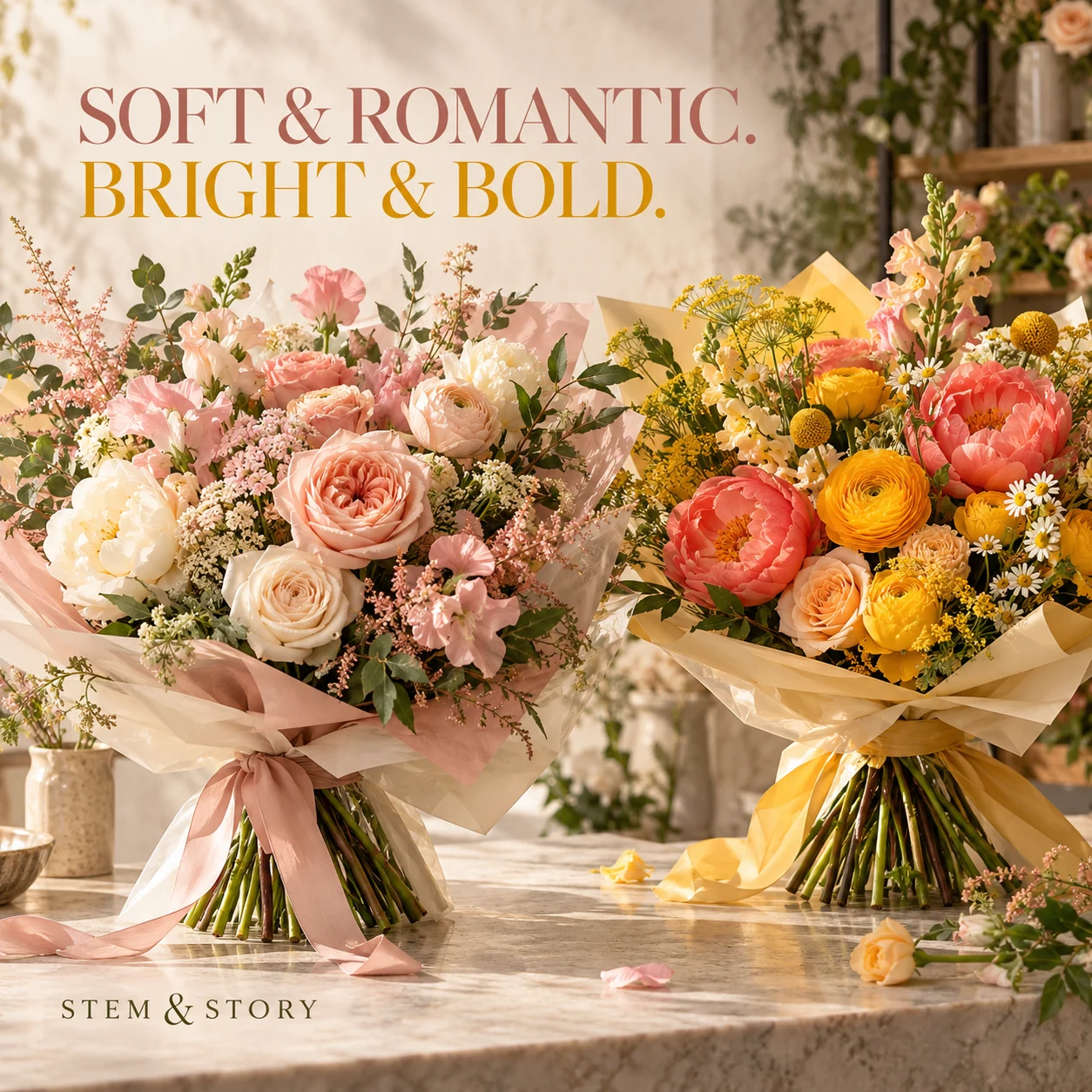
1. Soft & romantic. Bright & bold.
Finished AI-generated creative for the fictional brand STEM & STORY. This is an illustrative concept, not a real customer, venue or campaign result. Headline: “SOFT & ROMANTIC. BRIGHT & BOLD.”.
Finished example caption — Soft blush or a burst of color? Two different moods, brought together one stem at a time. Which palette feels like you?
Why use this post — A complete bouquet makes color and texture the immediate reason to pause.
Make it your own — Use current work and state when stems may be substituted. Avoid presenting an inspiration board as guaranteed stock. If you need a practical service-information version, adapt this template with confirmed details: Soft [palette A] or bright [palette B]? These are two directions for [actual arrangement type]. Tell us your preference when you order through [order link].
Image brief to adapt
Create a finished square social image for my florist business. Scene: Two lush hand-tied bouquets on a light stone florist counter, one soft blush and cream, the other vibrant coral and golden yellow, sculptural stems and translucent wrapping, beautifully lit. Visual style: Luxury contemporary florist campaign photography; blush pink, butter yellow, green stems, cream paper, tactile petal detail and elegant editorial typography. Use this headline exactly: “SOFT & ROMANTIC. BRIGHT & BOLD.”. Replace the fictional example brand STEM & STORY with my supplied business name. Make the scene the main visual, with a short legible headline and a small brand wordmark. Do not render placeholder fields or instructions. Do not invent a date, price, address, credential, offer or result. Use my authorized photographs when the post describes my actual people, premises, products or completed work. Review every detail before publishing.
2. Make room for something beautiful
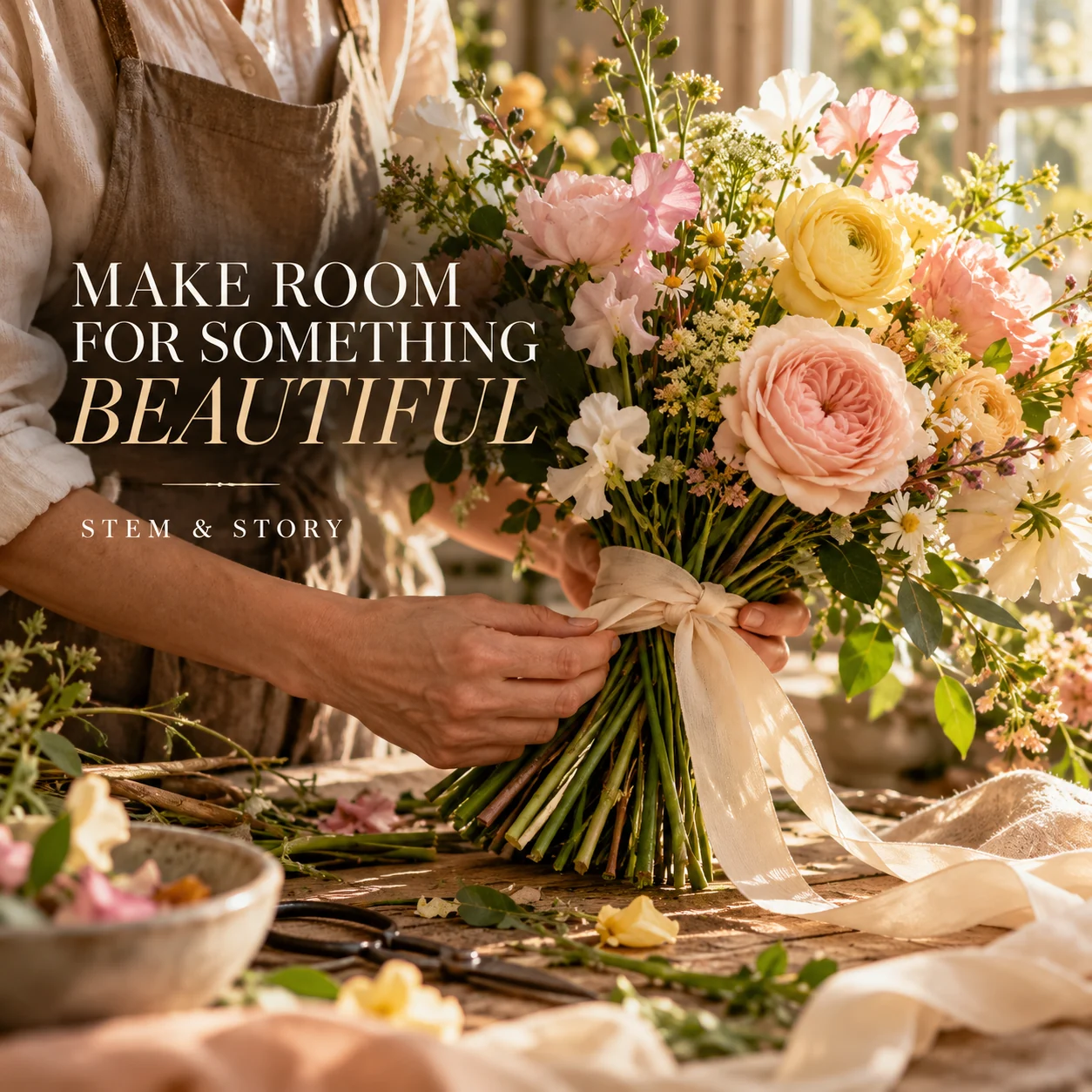
Finished AI-generated creative for the fictional brand STEM & STORY. This is an illustrative concept, not a real customer, venue or campaign result. Headline: “MAKE ROOM FOR SOMETHING BEAUTIFUL”.
Finished example caption — The ribbon is the final detail. The thought behind the flowers is where it begins.
Why use this post — A working florist shows the hands and choices behind an arrangement.
Make it your own — Confirm capacity before posting. Include the time zone when orders come from outside your local area. If you need a practical service-information version, adapt this template with confirmed details: Planning flowers for [occasion]? Order by [verified date and time] for [available delivery or collection window]. See sizes and details at [order link].
Image brief to adapt
Create a finished square social image for my florist business. Scene: A florist's adult hands tying a cream ribbon around a rich seasonal bouquet on a workshop table, delicate cut stems and linen offcuts, warm window light, close editorial photograph. Visual style: Luxury contemporary florist campaign photography; blush pink, butter yellow, green stems, cream paper, tactile petal detail and elegant editorial typography. Use this headline exactly: “MAKE ROOM FOR SOMETHING BEAUTIFUL”. Replace the fictional example brand STEM & STORY with my supplied business name. Make the scene the main visual, with a short legible headline and a small brand wordmark. Do not render placeholder fields or instructions. Do not invent a date, price, address, credential, offer or result. Use my authorized photographs when the post describes my actual people, premises, products or completed work. Review every detail before publishing.
3. A little perspective on petals
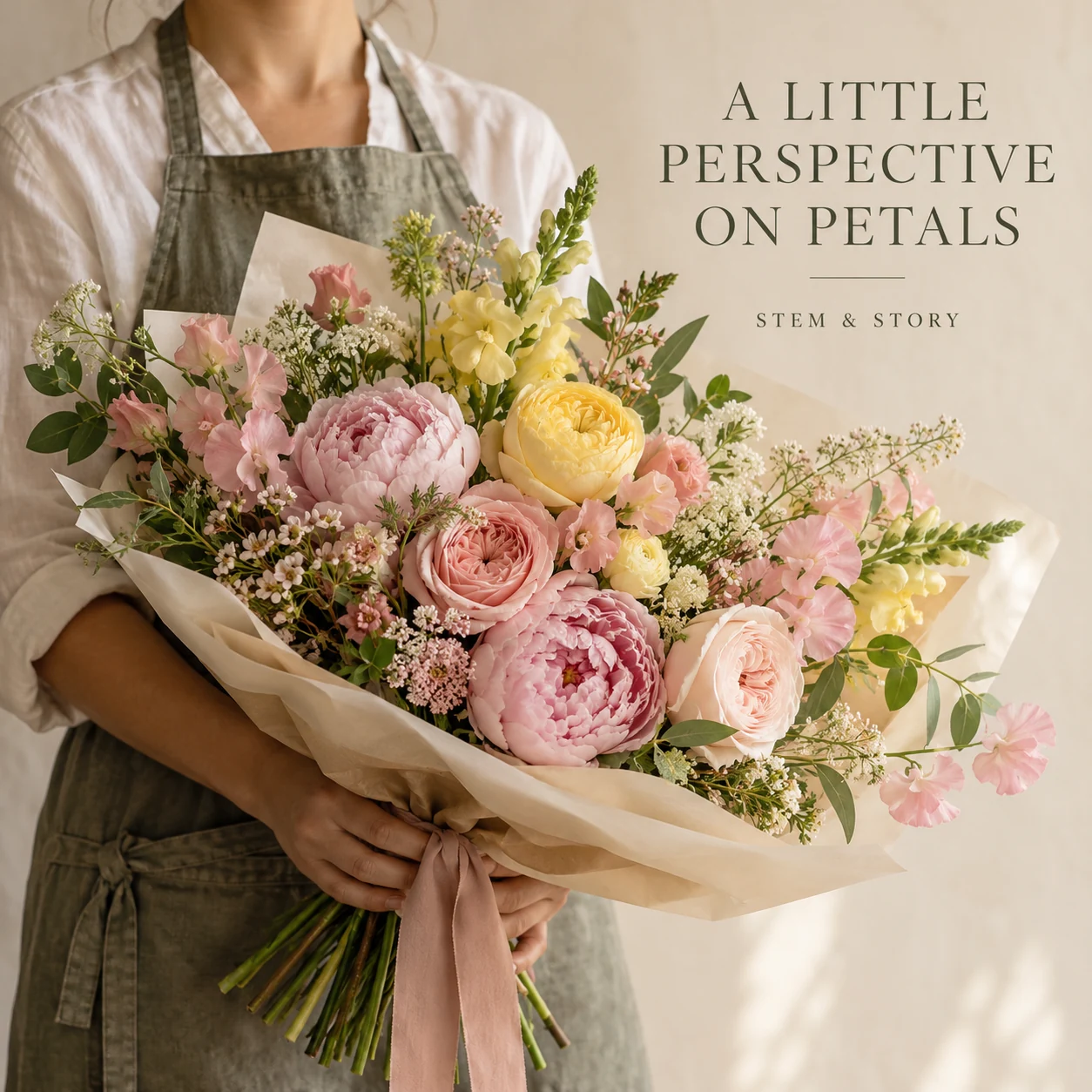
Finished AI-generated creative for the fictional brand STEM & STORY. This is an illustrative concept, not a real customer, venue or campaign result. Headline: “A LITTLE PERSPECTIVE ON PETALS”.
Finished example caption — A bouquet deserves more than a close-up. Here is a little perspective on the petals, the shape and the whole arrangement.
Why use this post — A table setting puts flowers in an occasion the reader can picture.
Make it your own — Photograph the actual product at a consistent angle. Do not use a generated size comparison as product evidence. If you need a practical service-information version, adapt this template with confirmed details: Wondering how large [arrangement name] is? Here it is beside [neutral size reference]. Full dimensions and current options are at [product link].
Image brief to adapt
Create a finished square social image for my florist business. Scene: A full hand-tied bouquet held naturally by an adult florist at waist height, anonymous crop below face, neutral apron, generous full bouquet visible with clear sense of scale, cream studio wall. Visual style: Luxury contemporary florist campaign photography; blush pink, butter yellow, green stems, cream paper, tactile petal detail and elegant editorial typography. Use this headline exactly: “A LITTLE PERSPECTIVE ON PETALS”. Replace the fictional example brand STEM & STORY with my supplied business name. Make the scene the main visual, with a short legible headline and a small brand wordmark. Do not render placeholder fields or instructions. Do not invent a date, price, address, credential, offer or result. Use my authorized photographs when the post describes my actual people, premises, products or completed work. Review every detail before publishing.
4. Your flowers. Your moment.
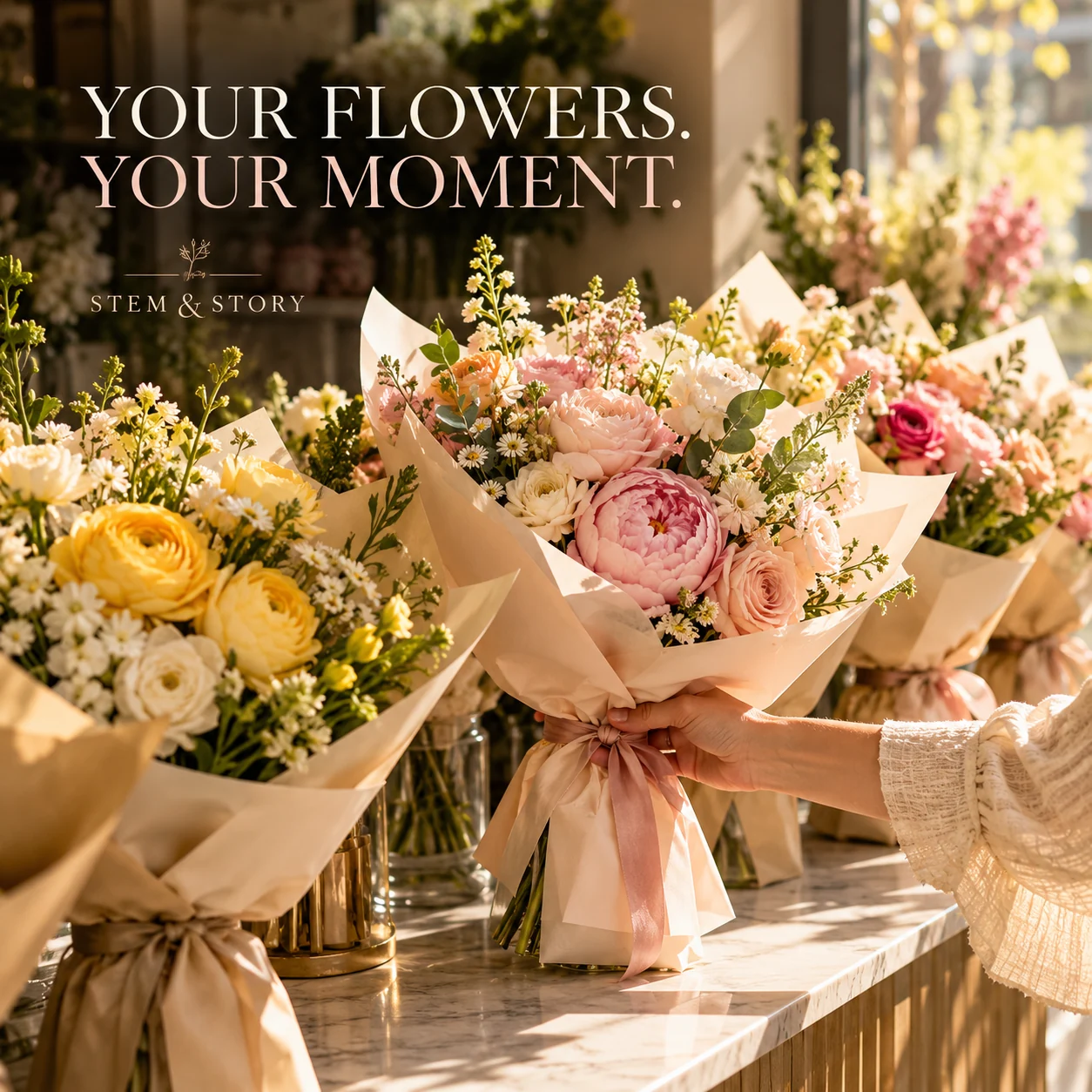
Finished AI-generated creative for the fictional brand STEM & STORY. This is an illustrative concept, not a real customer, venue or campaign result. Headline: “YOUR FLOWERS. YOUR MOMENT.”.
Finished example caption — Wrapped with care and ready for its next moment. Some days, a handful of flowers says enough.
Why use this post — A close detail offers visual inspiration without relying on a discount or deadline.
Make it your own — Keep customer names and order numbers out of the photo. State only the process your shop uses. If you need a practical service-information version, adapt this template with confirmed details: Collecting from [shop]? Your confirmed collection window is in [order confirmation location]. Please use [actual collection process] when you arrive.
Image brief to adapt
Create a finished square social image for my florist business. Scene: Several finished bouquets in individual paper sleeves on a beautiful flower-shop collection counter, one adult hand reaching for a bouquet, sunlight, no customer names or order labels. Visual style: Luxury contemporary florist campaign photography; blush pink, butter yellow, green stems, cream paper, tactile petal detail and elegant editorial typography. Use this headline exactly: “YOUR FLOWERS. YOUR MOMENT.”. Replace the fictional example brand STEM & STORY with my supplied business name. Make the scene the main visual, with a short legible headline and a small brand wordmark. Do not render placeholder fields or instructions. Do not invent a date, price, address, credential, offer or result. Use my authorized photographs when the post describes my actual people, premises, products or completed work. Review every detail before publishing.
Put it into practice
Build your first florist content batch
Pick one arrangement you can fulfill this week. Confirm its size, price and substitution policy. Publish a palette choice, then follow it with the collection instructions and a verified deadline. Prepare each post as a small brief: audience, one useful detail, approved caption, matching visual and a single current destination. Confirm stock, substitutions, collection windows and delivery area. A reference layout is not a promise that the pictured stems are available. Before publishing, read the caption beside the image, confirm that all brackets are replaced and check the destination on a phone. After a week, review the questions and enquiries each post generated. Keep the useful information current and revise confusing details before making more variants.
Put it into practice
Work through the next practical customer question
Flower-farm example—an invented grower wants to introduce a stem and invite a current-availability question. Caption: “One stem, one closer look. Check our current cut list before planning an order.” A real version needs the grower's actual variety and stock information, authorized field/work images and its real ordering route. Do not infer a harvest date, origin, organic status or guaranteed stem substitution from a fictional dahlia scene.
Common questions
How do we describe a bouquet when stems change?
Describe the palette, size and style, then explain your real substitution policy. Use a current photo for an exact arrangement and distinguish it from an illustrative design.
What belongs in a florist order-deadline post?
Include the occasion or order type, the exact cut-off, delivery or collection options and a working order link. Remove or update the deadline once it has passed.
Can I download and adapt these finished images?
Yes. Each example includes an original finished AI-generated image and a copyable image brief. Save the WebP as a visual reference, or use the brief to create a version for your own brand in Studio. The pictured businesses and scenes are fictional. Use authorized real photos for claims about your actual people, venue, products or completed work. The downloaded image is flattened; it does not contain editable text layers.
Do these worked cases establish the actual business's terms or results?
No. They are original fictional teaching examples. Use the actual approved business records, source references and appropriate reviewer for a real adaptation.
Does adding an example require another page or a new image?
No. Use the existing owner when it already supplies the same reader workflow. These text additions preserve its current images; any added real asset needs its own provenance and visual review.
Turn the brief into your own creative
Choose a finished image and caption that fit your business task, then copy its brief into Studio to develop your own version. Use your own brand, current information and authorized real-world assets where needed.
Your starter brief
Replace the brackets with your own details.
Create a finished square social image for my florist business. Scene: Two lush hand-tied bouquets on a light stone florist counter, one soft blush and cream, the other vibrant coral and golden yellow, sculptural stems and translucent wrapping, beautifully lit. Visual style: Luxury contemporary florist campaign photography; blush pink, butter yellow, green stems, cream paper, tactile petal detail and elegant editorial typography. Use this headline exactly: “SOFT & ROMANTIC. BRIGHT & BOLD.”. Replace the fictional example brand STEM & STORY with my supplied business name. Make the scene the main visual, with a short legible headline and a small brand wordmark. Do not render placeholder fields or instructions. Do not invent a date, price, address, credential, offer or result. Use my authorized photographs when the post describes my actual people, premises, products or completed work. Review every detail before publishing.
Copy your adapted brief, open Studio, and paste it into your creative workflow. Review the result before using it.
Create your version in Studio