Industry playbooks
Food Truck Posts: Make Location and Ordering Clear
By Memes.ai
Updated October 16, 2026 · 4 min read
A food-truck post needs to answer two practical questions: where is the serving window, and how does someone order? The fictional stop below is Orchard Yard, at the east entrance beside the blue gate. FIELDNOTE KITCHEN takes orders at its serving window; the menu board shows the current selection. Orchard Yard, the gate, the truck and the process are invented teaching details, not a real location or a live offer. Replace every one with confirmed business information before using the example.
What you’ll take away
- Create one complete stop-and-order announcement, distinguish menu facts from location facts, and retire a stale location update.
- Fictional reference stop and ordering facts are explicitly labeled. Never present Orchard Yard or the blue gate as a real destination. No invented real stop, trading hours, availability, dietary claim or delivery promise.
- Keep the exact example facts labeled as fictional. Replace them only with approved real business facts, then review image, caption and destination together.
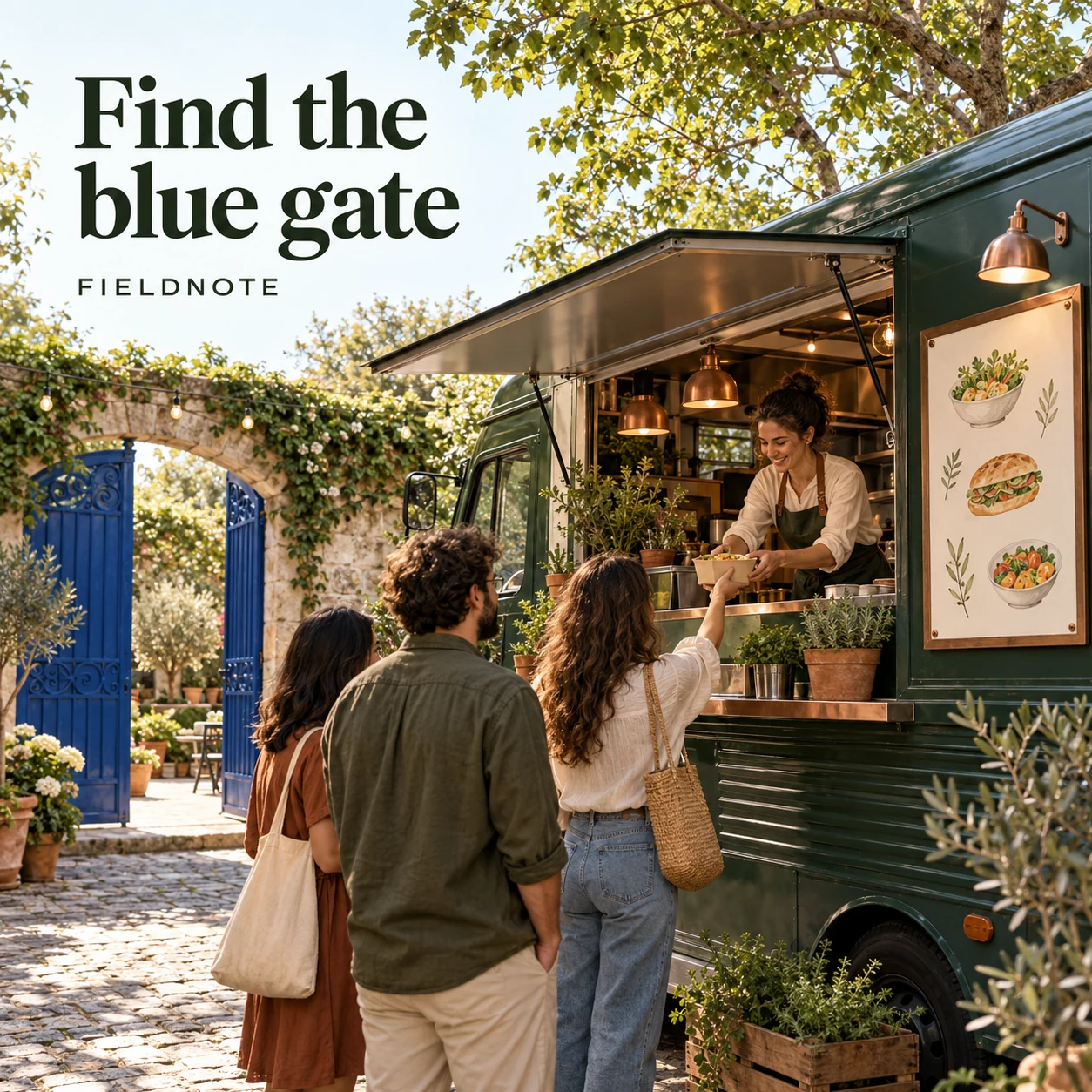
1. Find the blue gate
Original AI-generated fictional campaign concept. No real customer or measured result is represented.
Finished example caption — Fictional example: FIELDNOTE KITCHEN is at Orchard Yard's east entrance, beside the blue gate. Order at the serving window and read the menu board for the current selection. This is an illustrative stop, not a live trading notice.
Why use this post — This caption contains the complete example location cue and ordering route. Its fictional status is repeated so it cannot be mistaken for a current stop.
Make it your own — Replace the venue, entrance, landmark and ordering route together. Verify the real stop with the operator and event organizer; provide a current official location link.
Image brief to adapt
Create one complete polished square1080×1080 raster campaign image. Scene: Forest-green fictional food truck beside a distinctive blue gate in an original courtyard; adult staff member at the serving window, small original illustrated menu panel with no dish names or prices.. Art direction: refined natural editorial photography, sage green, warm ivory and copper, tactile materials, credible adult anatomy and object proportions. Composition: environmental view with clean upper-left headline space. Use exactly the headline “Find the blue gate” and the small fictional wordmark “FIELDNOTE”. Keep all type highly legible at phone size and inset at least8% from edges. The scene is the main visual; no text-only card, wireframe, screenshot, mock UI or placeholder. No extra copy, dates, prices, claims, unrelated logos or fake testimonial. Fictional reference stop and ordering facts are explicitly labeled. Never present Orchard Yard or the blue gate as a real destination. No invented real stop, trading hours, availability, dietary claim or delivery promise.. This is an explicitly fictional teaching concept.
2. The menu has its own facts
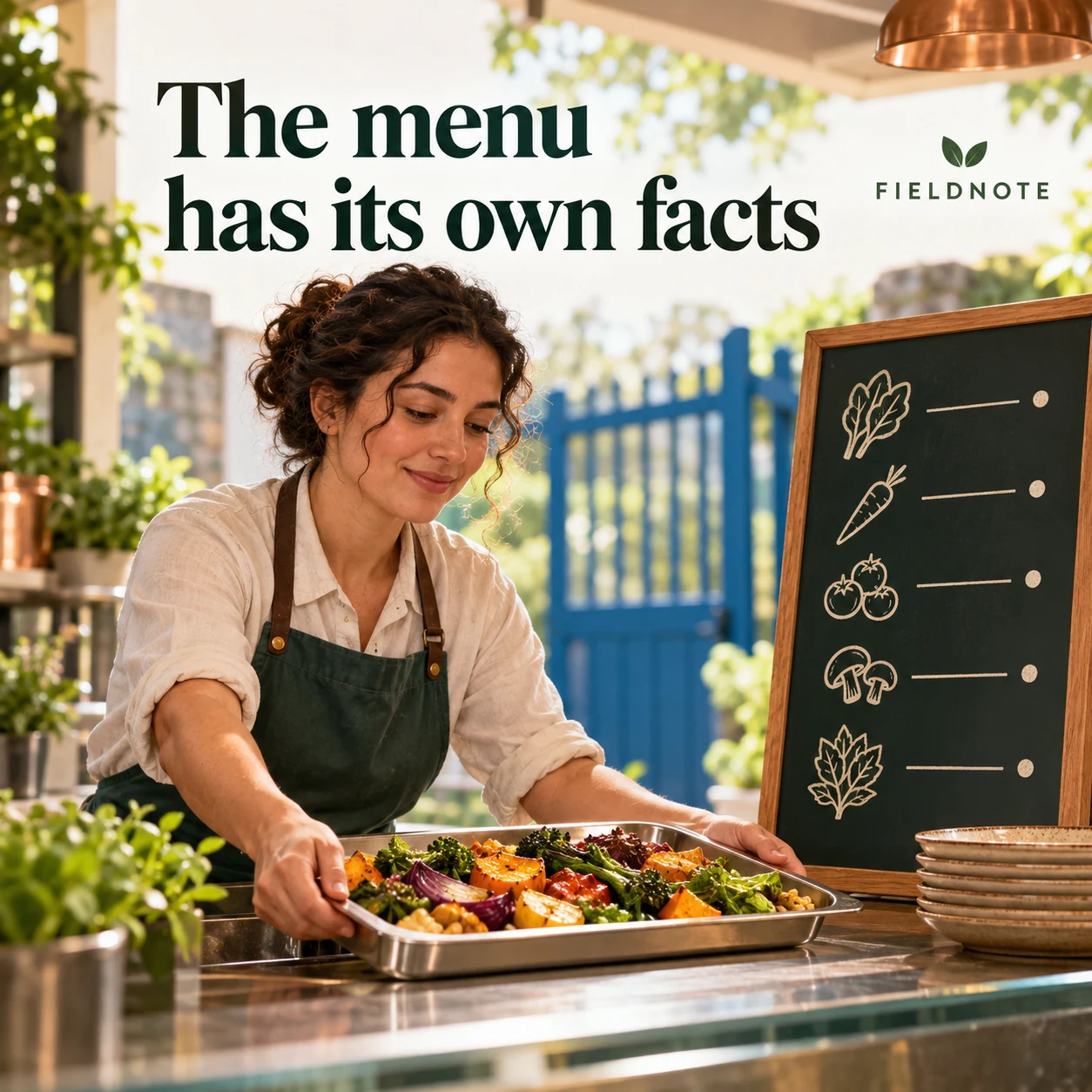
Original AI-generated fictional campaign concept. No real customer or measured result is represented.
Finished example caption — Fictional example: the FIELDNOTE KITCHEN menu board is where guests check the selection before ordering at the window. Ask the team directly about ingredients and dietary questions. No dish availability or dietary suitability is promised here.
Why use this post — Location and ordering are separate from menu, ingredient and dietary facts. The example directs questions to the team without inventing menu details.
Make it your own — Use the kitchen-approved current menu and ingredient information. Do not infer dietary suitability from a generated dish image.
Image brief to adapt
Create one complete polished square1080×1080 raster campaign image. Scene: Adult fictional staff member placing one vegetable-filled tray on a serving counter beside a simple menu board with no readable food names or prices; blue gate visible softly in background.. Art direction: refined natural editorial photography, sage green, warm ivory and copper, tactile materials, credible adult anatomy and object proportions. Composition: close editorial view with generous clear top margin. Use exactly the headline “The menu has its own facts” and the small fictional wordmark “FIELDNOTE”. Keep all type highly legible at phone size and inset at least8% from edges. The scene is the main visual; no text-only card, wireframe, screenshot, mock UI or placeholder. No extra copy, dates, prices, claims, unrelated logos or fake testimonial. Fictional reference stop and ordering facts are explicitly labeled. Never present Orchard Yard or the blue gate as a real destination. No invented real stop, trading hours, availability, dietary claim or delivery promise.. This is an explicitly fictional teaching concept.
3. One queue, one ordering point
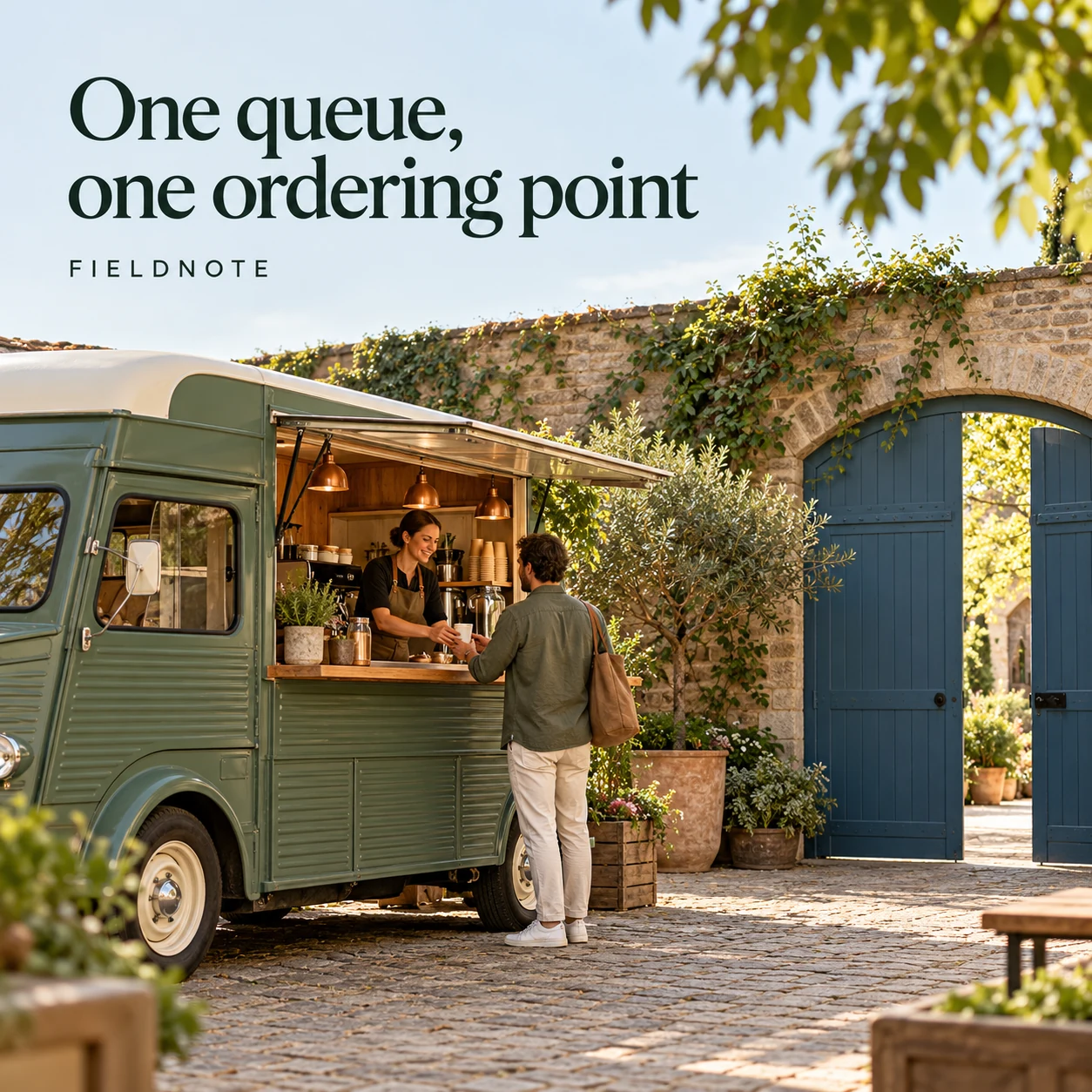
Original AI-generated fictional campaign concept. No real customer or measured result is represented.
Finished example caption — Fictional example: at Orchard Yard, FIELDNOTE KITCHEN takes orders at the serving window. The blue gate identifies the stop; it is not a separate collection point. Check the current official update before traveling.
Why use this post — The caption removes ambiguity between the wayfinding landmark and the actual transaction point. It gives the image a practical navigation job.
Make it your own — Show the real queue and collection arrangement only after the operator confirms them. Do not invent accessible routes or event rules.
Image brief to adapt
Create one complete polished square1080×1080 raster campaign image. Scene: Wide original courtyard view with fictional truck, blue gate and one adult approaching the serving window; clear uncluttered walkway, no crowd, map or implied accessibility claim.. Art direction: refined natural editorial photography, sage green, warm ivory and copper, tactile materials, credible adult anatomy and object proportions. Composition: environmental view with clean upper-left headline space. Use exactly the headline “One queue, one ordering point” and the small fictional wordmark “FIELDNOTE”. Keep all type highly legible at phone size and inset at least8% from edges. The scene is the main visual; no text-only card, wireframe, screenshot, mock UI or placeholder. No extra copy, dates, prices, claims, unrelated logos or fake testimonial. Fictional reference stop and ordering facts are explicitly labeled. Never present Orchard Yard or the blue gate as a real destination. No invented real stop, trading hours, availability, dietary claim or delivery promise.. This is an explicitly fictional teaching concept.
4. Retire the old stop
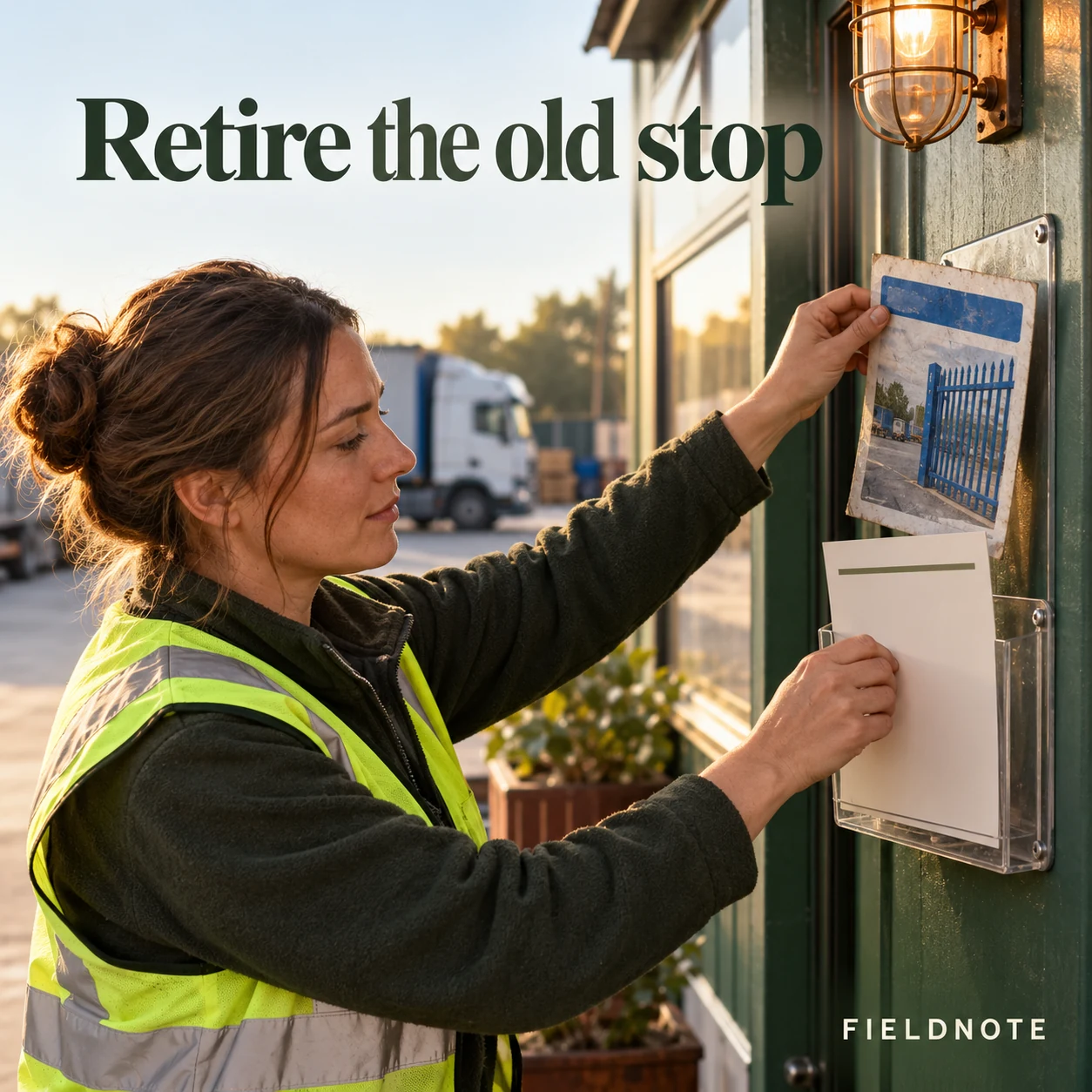
Original AI-generated fictional campaign concept. No real customer or measured result is represented.
Finished example caption — Fictional correction: the Orchard Yard example is not a current FIELDNOTE KITCHEN location. Use the truck's latest official stop update before traveling. An old location image can stay as an archive only when it is clearly marked as past information.
Why use this post — A correction example teaches stale-location handling. It does not quietly edit history or leave an old invitation looking current.
Make it your own — Publish a clear verified correction, update the current official location source and label old stop posts as past where possible. Do not invent a replacement stop.
Image brief to adapt
Create one complete polished square1080×1080 raster campaign image. Scene: Adult fictional operator at a truck desk removing an old blue-gate location print from a notice holder and replacing it with a plain current-information card; no readable dates or destinations.. Art direction: refined natural editorial photography, sage green, warm ivory and copper, tactile materials, credible adult anatomy and object proportions. Composition: close editorial view with generous clear top margin. Use exactly the headline “Retire the old stop” and the small fictional wordmark “FIELDNOTE”. Keep all type highly legible at phone size and inset at least8% from edges. The scene is the main visual; no text-only card, wireframe, screenshot, mock UI or placeholder. No extra copy, dates, prices, claims, unrelated logos or fake testimonial. Fictional reference stop and ordering facts are explicitly labeled. Never present Orchard Yard or the blue gate as a real destination. No invented real stop, trading hours, availability, dietary claim or delivery promise.. This is an explicitly fictional teaching concept.
Put it into practice
Apply the brief to one real business task
Create a real stop-information record with fields for venue/address, verified landmark, order point, collection point if different, current menu source, official update URL and operator approval. Leave unknown real details out of publication. Then adapt the complete fictional example with approved facts. Ask another person to identify where they would go and how they would order from the post alone. Record any confusion and fix the message before publishing. Prepare a correction caption in advance for a changed stop.
Common questions
What must a usable food-truck location post say?
State the confirmed venue or address, a useful verified arrival cue, the actual order or collection point and a current official update link. Add verified trading details when the operator has approved them. The Orchard Yard example is fictional and must not be used as a real destination.
Should menu and dietary information be guessed from the image?
No. Use the operator's current approved menu and ingredient information. An illustrative dish photo does not prove availability, portion size, allergens or dietary suitability. Give customers the official route for specific questions.
What should happen to yesterday's stop announcement?
Keep one clearly identified current location source. Mark an old location announcement as past information when possible and publish a clear correction if it could mislead travelers. Verify the replacement details before posting.
Turn the brief into your own creative
Choose the example that fits your task. Copy its brief, replace fictional details with approved business information and create a version in Studio. Review the output before using it.
Your starter brief
Replace the brackets with your own details.
Create one complete polished square1080×1080 raster campaign image. Scene: Forest-green fictional food truck beside a distinctive blue gate in an original courtyard; adult staff member at the serving window, small original illustrated menu panel with no dish names or prices.. Art direction: refined natural editorial photography, sage green, warm ivory and copper, tactile materials, credible adult anatomy and object proportions. Composition: environmental view with clean upper-left headline space. Use exactly the headline “Find the blue gate” and the small fictional wordmark “FIELDNOTE”. Keep all type highly legible at phone size and inset at least8% from edges. The scene is the main visual; no text-only card, wireframe, screenshot, mock UI or placeholder. No extra copy, dates, prices, claims, unrelated logos or fake testimonial. Fictional reference stop and ordering facts are explicitly labeled. Never present Orchard Yard or the blue gate as a real destination. No invented real stop, trading hours, availability, dietary claim or delivery promise.. This is an explicitly fictional teaching concept.
Copy your adapted brief, open Studio, and paste it into your creative workflow. Review the result before using it.
Create your version in Studio