Meme marketing
8 AI Meme Generator Prompts for Business, Ready to Adapt
By Memes.ai
Updated October 12, 2026 · 6 min read

A useful AI meme prompt describes the audience, the moment, and the payoff. Make a funny ad leaves all three to guesswork. A brief about a cafe customer's first meeting before coffee gives the generator something concrete to build. These eight prompt structures cover different kinds of contrast. Replace the placeholders with true details from your business, then review the result as an editor rather than treating the first image as finished.
What you’ll take away
- Copy a complete brief, then replace every bracketed business detail.
- Keep the exact image caption separate from your social-post caption.
- Review the exported image for readable text and accurate product details.
Made in Studio · October 12, 2026
A real Studio walkthrough: from bakery brief to shorter headline
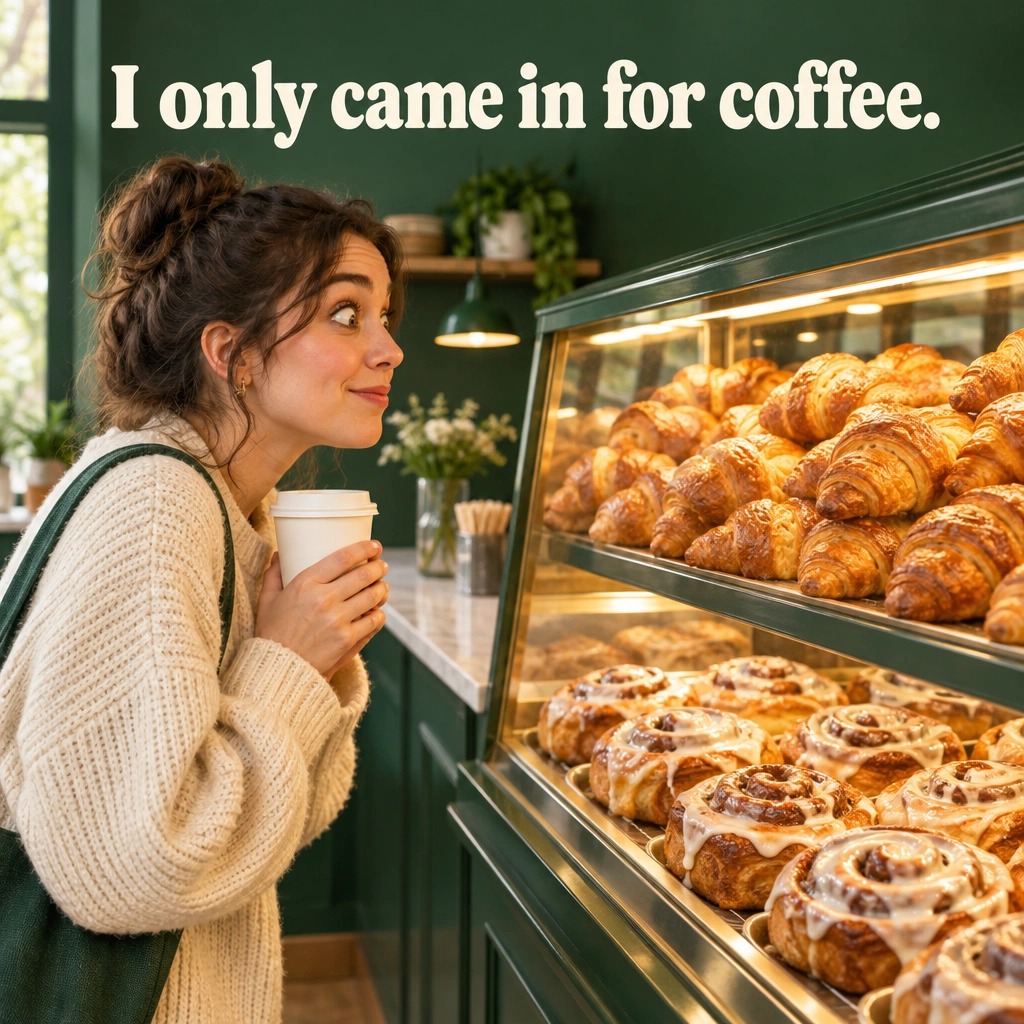
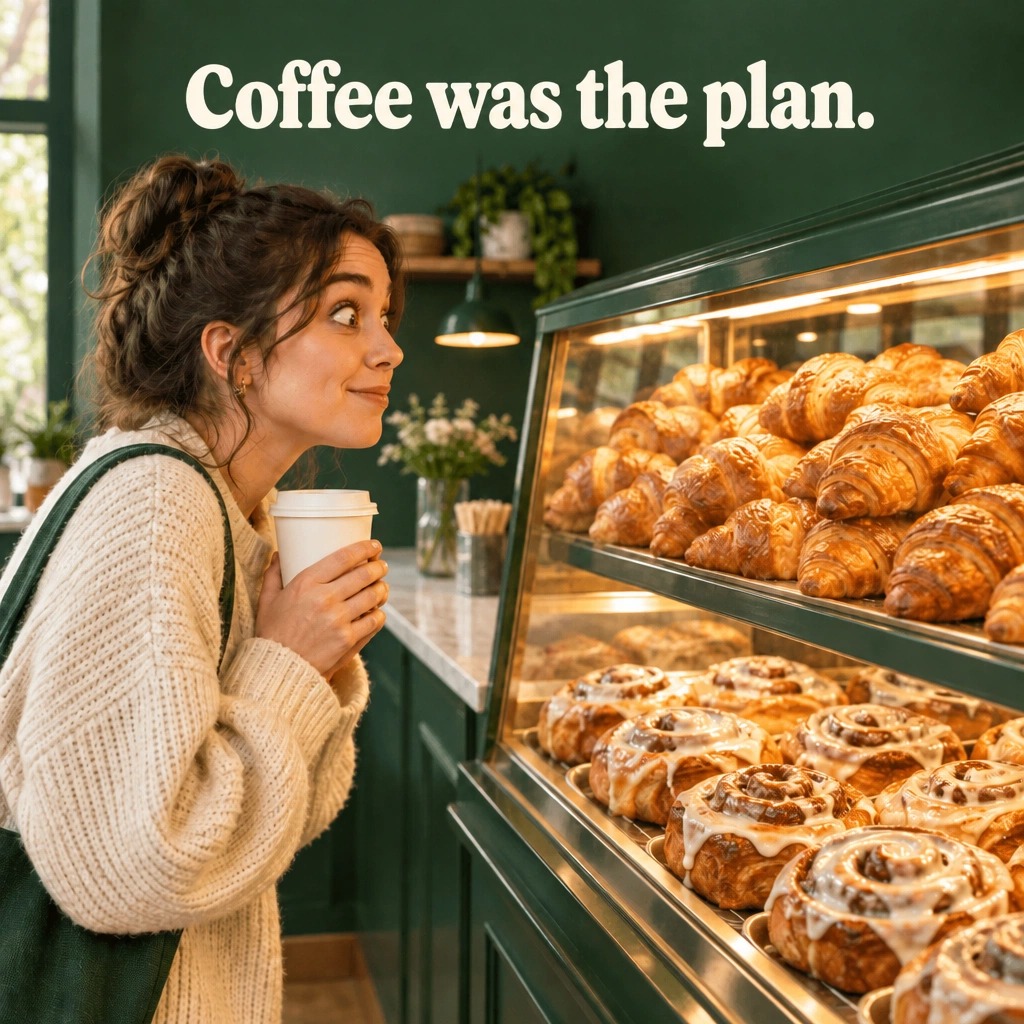
We took the customer inner-monologue prompt from this guide and ran it in Studio. The first image made the bakery moment clear, so we kept the scene and tried a shorter headline in one edit. Both actual exports are below.
Tool: Meme Ads. Square 1:1, one variation, no reference upload, Brand Kit off for the fictional business. We used Generate concept, then Edit; the edit button displayed 1 credit during this run. Check the current allowance and price in your own account.
- Open Meme Ads in Studio. For this fictional example, turn an unrelated Brand Kit off and leave reference images empty. For your own business, use the correct brand details instead.
- Paste the generation brief below. Choose Square 1:1 and one variation, then select Generate concept. Wait for the completed image before deciding what to change.
- Inspect the caption and the scene. Open Edit on the result, paste the revision instruction, keep the 1:1 ratio, and review the credit cost shown before selecting Apply edit.
- Compare the revision with the original in Edit history. Download each as JPG, check the exported words and composition, then choose the version that best communicates your idea.
The generation brief we used
Create an original square meme for a fictional bakery. Show a fictional customer looking at a tempting pastry case, a plain coffee cup already in hand. Exact caption: “I only came in for coffee.” Make the pastry the visual temptation. Use warm cream and forest green, large readable lettering, and only croissants and cinnamon rolls in the case. Keep the scene simple and the joke affectionate. No logo, prices, discounts, fake customer quotes, or other text.
First generation
After one revision
The revision instruction we used
Replace only the headline “I only came in for coffee.” with the exact words “Coffee was the plan.” Keep the same customer, coffee cup, pastry arrangement, framing, forest-green and cream colors, and square aspect ratio. Do not add any other words, logos, offers, or objects.
What changed, and what to check
- Both exported headlines match the requested words. The first image also follows the requested cream and green palette, plain cup, croissants and cinnamon rolls.
- The revision visually retains the customer, cup and pastry-case composition. Compare these details yourself rather than assuming an edit changes only the text.
- The shorter line is an editorial alternative, not a proven winner. The original spells out the thought more explicitly; the revision relies more on the image.
- For a real bakery, replace generic pastries with accurate product references where needed. Add opening hours or an offer only if verified, and keep that information in the post caption or destination.
This is a first-party product walkthrough recorded on October 12, 2026: one initial generation and one edit, with no rerolls. The subjects and businesses are fictional. The downloads are the actual Studio exports, not recreated illustrations. Outputs vary; a successful edit here does not guarantee pixel-identical preservation on every image. We did not publish an ad or measure clicks, leads or sales.
1. The intention-versus-reality brief
The idea — Use: Show [audience] planning [ideal behavior], contrasted with [what usually happens]. For a meal-prep service, the setup could be an ambitious Sunday planner and the payoff a chaotic Tuesday lunch.
Why it helps — The two states give the model a clear structure. You can change the visual style without losing the underlying joke, which makes revisions easier to judge.
Make it your own — Specify which panel comes first and keep each caption short. Avoid implying that the product guarantees a personal transformation; show a practical use case instead.
Image brief to adapt
Create a two-panel original meme for [meal-prep business]. Audience: [busy office workers]. Left: a tidy Sunday meal plan, caption “Sunday me has a system.” Right: a Tuesday desk lunch with too many takeaway containers, caption “Tuesday me has questions.” Use fictional people and large readable text. Include only these verified product details: [facts]. No weight-loss claims or invented offers.
2. The tiny problem, enormous reaction brief
The idea — Use: Show an exaggerated but friendly reaction to [small shared inconvenience]. A creator discovering one more required image crop could be surrounded by an absurd pile of picture frames.
Why it helps — Scale provides the joke visually. The caption can stay compact because the oversized reaction already communicates the feeling.
Make it your own — Tell the model to exaggerate the props rather than distort the person's body. Keep the expression readable and remove background objects that do not strengthen the contrast.
Image brief to adapt
Create an original meme for [creative workflow business]. Show a fictional marketer holding one social image, surrounded by an absurd stack of differently sized empty picture frames. Exact caption: “One campaign. Every possible crop.” Make the props exaggerated, keep the person natural, and leave the background simple. Do not add product capabilities I have not supplied.
3. The customer inner-monologue brief
The idea — Use: Show [ordinary moment] with the exact thought [short line]. A bakery customer staring at a pastry case might think I only came in for coffee.
Why it helps — Internal thoughts can feel conversational because they mirror a small contradiction people admit about themselves. The business belongs naturally in the scene.
Make it your own — Give the character one action and one thought. Do not ask for a full conversation, testimonial, and offer in the same image.
Image brief to adapt
Create an original meme for [bakery]. Show a fictional customer looking at a pastry case, coffee already in hand. Exact caption: “I only came in for coffee.” Make the pastry the visual temptation. Use [brand colors], large readable lettering and only the products in [verified list]. No fake customer quote or discount.
4. The product-as-payoff brief
The idea — Use: Establish [frustration], then reveal [specific verified product feature] as the practical resolution. A backpack concept can show the objects that fit rather than claiming it holds everything.
Why it helps — The visual explains the product while the setup makes it relatable. This is useful when the buyer needs to understand a feature before considering an offer.
Make it your own — List exactly which product details must remain accurate. If using a reference photo, preserve shape, packaging, and visible labels; do not invent certifications or capacities.
Image brief to adapt
Create an original meme for [backpack brand]. Show a desk covered with [verified list of items] beside the actual backpack reference I provide. Exact caption: “Packing light. Emotionally.” Preserve the product shape and labels. Do not show more items inside than its verified capacity. Offer a second caption as text outside the image.
5. The two-types-of-customer brief
The idea — Use: Show two affectionate habits within [audience], each with a short label. A coffee example could contrast the person who plans an order with the person who changes it at the counter.
Why it helps — The comparison invites recognition without requiring a winner or a villain. It can work as a single split image or a short carousel.
Make it your own — Keep both sides friendly. Avoid dividing people by sensitive traits or presenting one customer type as stupid, unattractive, or undesirable.
Image brief to adapt
Create a split-panel original meme for [coffee shop]. Left: a fictional customer with a neatly written order, label “Practiced in the queue.” Right: the same person staring at the menu, label “Forgot at the counter.” Keep the joke affectionate. Use the same character and brand colors in both panels. No price or offer unless supplied.
6. The workplace-specific brief
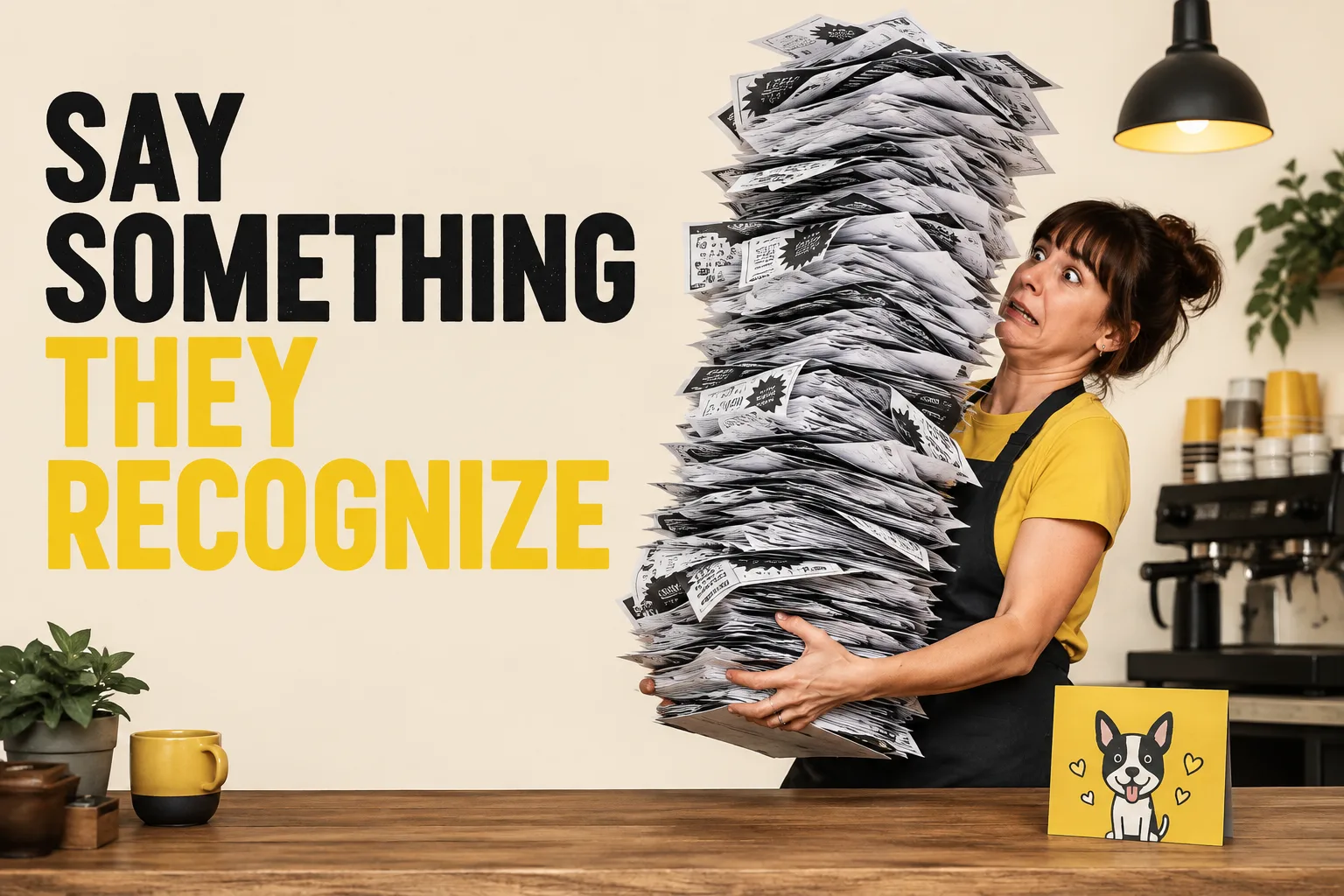
The idea — Use: Show the moment when [role] encounters [specific workflow friction]. A marketing team approving a simple caption through an enormous stack of notes is more concrete than a joke about meetings.
Why it helps — Job-specific details create relevance for a narrower audience. They also help keep B2B creative from sounding like a consumer meme with a software logo added.
Make it your own — Name the task and the consequence. Remove real customer names, screenshots, or confidential documents from the visual brief.
Image brief to adapt
Create an original B2B meme for [agency]. Show a fictional marketing team reviewing one short caption with an absurdly tall stack of approval notes. Exact caption: “Just one quick approval.” Keep screens and documents free of real names or private information. Use [brand colors] and one readable visual idea.
7. The seasonal decision brief
The idea — Use: Show [audience] deciding between [two timely choices] during [real occasion]. A gift guide can contrast useful gifts with another object that will sit unopened.
Why it helps — An actual decision makes the occasion relevant. The date alone is not a joke, and a seasonal color palette does not explain why the customer should care.
Make it your own — Include only genuine offer dates and conditions. Ask for placeholders where information is missing instead of allowing the generator to invent a discount or countdown.
Image brief to adapt
Create an original seasonal meme for [gift business] for [real occasion]. Show a fictional shopper choosing between another decorative object and [verified useful product]. Exact caption: “[short line about the actual choice].” Use [brand colors]. Leave any missing date, price or discount as a placeholder; do not invent urgency.
8. The rewrite-and-critique brief
The idea — Use: Review this meme for clarity, relevance, and unnecessary words. Give three shorter captions that preserve [specific premise]. Explain what changes in each.
Why it helps — Editing is often more useful than requesting a completely new image. It keeps the strong part of the concept while addressing an identifiable problem.
Make it your own — Ask for one change at a time: caption, expression, product visibility, or composition. Keep a version history so you can compare the revision with the original.
Image brief to adapt
Review the attached meme for [business] and [audience]. Preserve this premise: [premise]. Suggest three captions under ten words, explain the difference between them, and identify one visual distraction. Do not change the offer or product facts. Wait for my choice before editing the image.
Put it into practice
A five-minute review before you publish
Choose one brief and replace every bracket. Generate one concept, then read it at phone size: can you understand the joke without the post caption? Check every rendered word and each product detail. If the premise is right but the caption is too long, use the rewrite-and-critique brief instead of restarting. Save the original and your revision together so you can compare what changed. After posting, record useful replies and completed next steps separately from likes.
Common questions
Should I put the caption in the image prompt?
If you want text rendered in the image, specify the exact wording. For precise typography or frequent revisions, you can generate the visual first and add or edit the caption separately.
Why do AI memes sometimes feel generic?
The brief may describe a broad audience without a recognizable moment. Add a specific task, objection, or habit, and make the product connection explicit.
How many ideas should I generate at once?
Start with a small set you can actually review. Three distinct premises are usually more informative than many near-identical versions of one vague idea.
Turn the brief into your own creative
Paste a completed brief into your creative workflow and use your website or product reference to keep the output tied to your business.
Your starter brief
Replace the brackets with your own details.
Audience: [who]. Recognizable moment: [specific situation]. Product truth: [verified feature]. Meme structure: [contrast/reaction/inner monologue]. Exact setup: [text]. Exact payoff: [text]. Visual: [subject, action, setting]. Tone: [tone]. Create an original image with readable captions. Do not invent offers, testimonials, performance numbers, logos, or product features. Return one concept first.
Copy your adapted brief, open Studio, and paste it into your creative workflow. Review the result before using it.
Create your version in Studio