Social media
Preorder Posts: Separate Ordering From Availability
By Memes.ai
Updated October 16, 2026 · 6 min read

A preorder post must make the purchase stage clear. A product may be announced before it is ready for immediate fulfillment, and the actual merchant controls what can be ordered, when payment is collected and what fulfillment information applies. These fictional image concepts introduce that explanation. They do not demonstrate a real checkout, guarantee a date or establish a customer's legal rights. Keep the complete current terms and order questions with the merchant's approved destination and responsible reviewer.
What you’ll take away
- Identify the preorder status before using an ordinary buy-now invitation.
- Review order, payment and fulfillment statements as separate facts.
- A changed estimate needs the merchant's actual update process; a new image is not a status record or a new guarantee.
1. Name the preorder clearly
Original AI-generated fictional campaign concept. No real customer or measured result is represented.
Finished example caption — A product image should not make a preorder look like an in-stock purchase.
Why use this post — Showing the actual product concept can explain what the announcement concerns. It does not prove that stock is ready to dispatch.
Make it your own — State that the item is a preorder when that is the actual status. Use the merchant's real product reference; do not portray an unavailable model as ready stock.
Image brief to adapt
Generate one complete polished square campaign image, 1080×1080. The exact scene is: original product prototype beside a plain preorder information card. Context: a fictional maker studio with original product prototype and order folio. The message is “Name the preorder clearly”; support this finished caption: “A product image should not make a preorder look like an in-stock purchase.”. Environmental wide shot with the key subject in the lower right and generous clean upper-left negative space. Art direction: candid small-business campaign photography, restrained graphics and a clear human focal point; palette midnight teal, warm ivory and ochre; refined natural lighting, deliberate depth and texture, commercially credible proportions, clean edges and ample breathing room. Use exactly this headline: “Name the preorder clearly”. Add the small fictional wordmark “FIELDNOTE 218”. Headline must be immediately readable at a phone size, with high contrast and a safe inset of at least8% from every edge. The scene is the main visual, not a text-only card. No additional text, UI screenshot, testimonial, metrics, sale badge, fake website, QR code or placeholder field. No watermarks or unrelated logos. No delivery guarantee, refundable claim or production promise without terms. Produce finished actual raster artwork ready to download and inspect; no wireframe, simple geometric substitute or diagram.
2. Explain the next stage
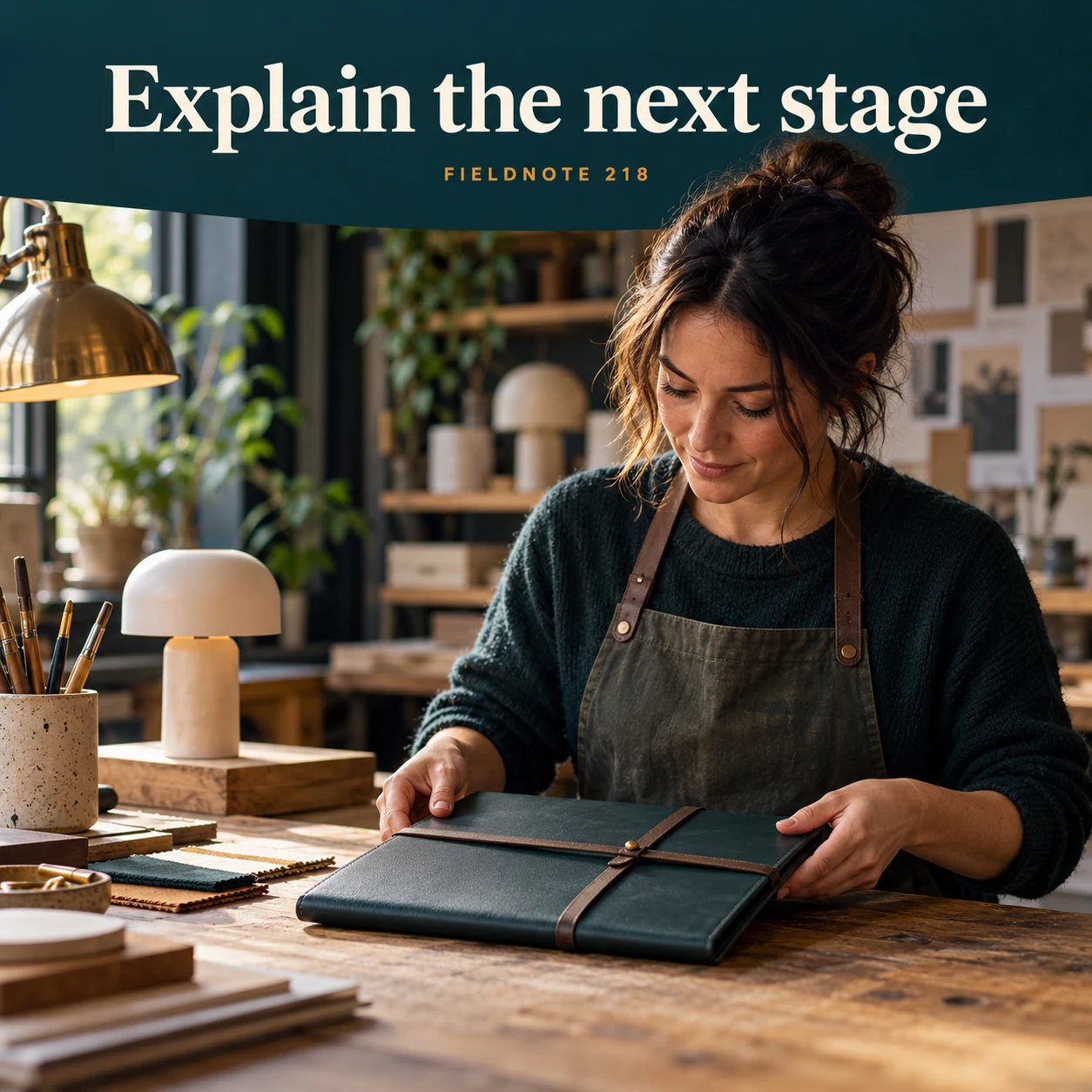
Original AI-generated fictional campaign concept. No real customer or measured result is represented.
Finished example caption — Use the business's confirmed process to describe what follows the order.
Why use this post — A process view can distinguish stages, but it must not invent a payment arrangement or imply that an order has been accepted.
Make it your own — Ask the merchant to approve the exact ordering and payment explanation. Never copy a platform's optional payment behavior as if it applied to every store.
Image brief to adapt
Generate one complete polished square campaign image, 1080×1080. The exact scene is: adult maker preparing a closed production folio. Context: a fictional maker studio with original product prototype and order folio. The message is “Explain the next stage”; support this finished caption: “Use the business's confirmed process to describe what follows the order.”. Close editorial still life or detail crop showing the relevant physical object and its texture, with the headline in a quiet top band. Art direction: candid small-business campaign photography, restrained graphics and a clear human focal point; palette midnight teal, warm ivory and ochre; refined natural lighting, deliberate depth and texture, commercially credible proportions, clean edges and ample breathing room. Use exactly this headline: “Explain the next stage”. Add the small fictional wordmark “FIELDNOTE 218”. Headline must be immediately readable at a phone size, with high contrast and a safe inset of at least8% from every edge. The scene is the main visual, not a text-only card. No additional text, UI screenshot, testimonial, metrics, sale badge, fake website, QR code or placeholder field. No watermarks or unrelated logos. No delivery guarantee, refundable claim or production promise without terms. Produce finished actual raster artwork ready to download and inspect; no wireframe, simple geometric substitute or diagram.
3. Keep timing qualified

Original AI-generated fictional campaign concept. No real customer or measured result is represented.
Finished example caption — Any estimated timing belongs with its actual conditions and current source.
Why use this post — Current fulfillment information belongs with the actual merchant record. The illustration cannot supply a reliable production or delivery date.
Make it your own — Use only supported current fulfillment wording and keep estimate/guarantee distinctions accurate. Obtain appropriate policy review rather than inventing legal terms.
Image brief to adapt
Generate one complete polished square campaign image, 1080×1080. The exact scene is: plain schedule folder beside the product prototype. Context: a fictional maker studio with original product prototype and order folio. The message is “Keep timing qualified”; support this finished caption: “Any estimated timing belongs with its actual conditions and current source.”. Natural eye-level composition with a restrained side panel for type. Preserve the exact stated scene; do not add a person to an object-only scene. If the scene includes people, use adult models and the explicit stated action only. Art direction: candid small-business campaign photography, restrained graphics and a clear human focal point; palette midnight teal, warm ivory and ochre; refined natural lighting, deliberate depth and texture, commercially credible proportions, clean edges and ample breathing room. Use exactly this headline: “Keep timing qualified”. Add the small fictional wordmark “FIELDNOTE 218”. Headline must be immediately readable at a phone size, with high contrast and a safe inset of at least8% from every edge. The scene is the main visual, not a text-only card. No additional text, UI screenshot, testimonial, metrics, sale badge, fake website, QR code or placeholder field. No watermarks or unrelated logos. No delivery guarantee, refundable claim or production promise without terms. Produce finished actual raster artwork ready to download and inspect; no wireframe, simple geometric substitute or diagram.
4. Make updates findable

Original AI-generated fictional campaign concept. No real customer or measured result is represented.
Finished example caption — Give buyers the official route for changes to the preorder information.
Why use this post — A contact/update route helps a reader find current information. It should not turn a generic caption into an individual order notification or cancellation policy.
Make it your own — Direct readers to the actual current preorder page and approved order-support route. Keep personal order information private and update obsolete posts through the merchant's real process.
Image brief to adapt
Generate one complete polished square campaign image, 1080×1080. The exact scene is: adult owner reviewing a plain customer-update card. Context: a fictional maker studio with original product prototype and order folio. The message is “Make updates findable”; support this finished caption: “Give buyers the official route for changes to the preorder information.”. Confident final hero composition using a clear foreground subject and supporting background context; close the sequence with a purposeful visual invitation. Art direction: candid small-business campaign photography, restrained graphics and a clear human focal point; palette midnight teal, warm ivory and ochre; refined natural lighting, deliberate depth and texture, commercially credible proportions, clean edges and ample breathing room. Use exactly this headline: “Make updates findable”. Add the small fictional wordmark “FIELDNOTE 218”. Headline must be immediately readable at a phone size, with high contrast and a safe inset of at least8% from every edge. The scene is the main visual, not a text-only card. No additional text, UI screenshot, testimonial, metrics, sale badge, fake website, QR code or placeholder field. No watermarks or unrelated logos. No delivery guarantee, refundable claim or production promise without terms. Produce finished actual raster artwork ready to download and inspect; no wireframe, simple geometric substitute or diagram.
Put it into practice
Apply the workflow to one actual business image
Use this original fictional message: “The next Fieldnote folder run is offered as a preorder, not an item ready for immediate dispatch. Before ordering, read the current preorder page for the stated payment and fulfillment information. If you have a question about that process, use the order-support route on the same page.” This is an invented teaching example, with no real offer or link. Review it with a four-part sheet: product/status, actual payment arrangement, supported fulfillment wording and current update/support route. Each fact must be supplied and approved for a real merchant before use. If a statement is unresolved, keep the post in review; do not fill it with a guessed date or promise.
Put it into practice
Add a holiday deadline without turning it into an arrival guarantee
A seasonal preorder message must separate the order cutoff, the merchant's fulfillment information and any collection or delivery arrangement. Those are different facts. A deadline for accepting an order does not by itself establish when the item will arrive.
Use an original fictional food-business structure: “This is a seasonal preorder invitation. Read the current ordering page for the item, order deadline, payment and collection information before placing a request.” The example supplies no actual food offer, date or link. For real use, the operator must approve every item and term, including the exact cutoff basis and current next step. Do not create allergen, food-safety, capacity or availability statements from an illustrated dish.
Compare the caption with the live ordering information and any merchant-approved update process. If a deadline has passed or terms change, retire the obsolete version from active use. Keep any individual order information in the actual private channel. This guide is a communication-review exercise, not a food-ordering system, legal policy or delivery promise.
Put it into practice
Check a completed fictional record before adapting it
Completed fictional seasonal-order record—Fieldnote Kitchen, an invented food business, is considering a fictional orchard-tart preorder. The teaching record distinguishes request deadline, acceptance, payment information and collection. Request deadline: November 20, 2026 at noon in the example's stated local time; acceptance: the business must confirm the actual order; payment: follow the actual agreed terms; collection: the selected order's separate confirmed instructions. This case asserts no real food offer, ingredients, portion, allergen property or fulfillment promise.
Teaching caption: “Planning a seasonal preorder? Read the current item, request deadline, payment and collection information before placing your request.” The four facts remain separate: a deadline is not an accepted order, payment is not a collection confirmation and collection is not delivery. For actual use, the food operator approves the exact item and terms, supplies accurate authorized imagery and checks the complete ordering destination. Retire the invitation when its real deadline has passed; keep individual order questions private.
Common questions
Is a preorder the same as an in-stock purchase?
The item is not ready for immediate fulfillment. The actual ordering, payment and fulfillment arrangements depend on the merchant's approved process and terms. Explain those facts rather than borrowing a generic buy-now message.
Can the image supply a delivery estimate?
No. Use the merchant's supported current information and appropriate review. A production scene, calendar prop or generated caption does not establish when an item will ship or arrive.
What should change if the process is delayed?
Use the merchant's actual communication and policy process to update affected information and the current contact route. Do not replace an old unsupported promise with a new one or offer legal advice from a social caption.
Does an order cutoff guarantee holiday arrival?
No. Confirm the separate fulfillment, collection or delivery facts with the actual operator. Do not let deadline language imply a guarantee that is not supported.
Can a generated seasonal dish stand in for the actual preorder item?
Use accurate authorized images when representing a real item for sale. A generated scene can illustrate a clearly fictional concept but cannot establish ingredients, portions or availability.
Turn the brief into your own creative
Use the example as a starting point. Supply approved business facts and authorized references in Studio, then compare the finished image with the brief before using it.
Your starter brief
Replace the brackets with your own details.
Generate one complete polished square campaign image, 1080×1080. The exact scene is: original product prototype beside a plain preorder information card. Context: a fictional maker studio with original product prototype and order folio. The message is “Name the preorder clearly”; support this finished caption: “A product image should not make a preorder look like an in-stock purchase.”. Environmental wide shot with the key subject in the lower right and generous clean upper-left negative space. Art direction: candid small-business campaign photography, restrained graphics and a clear human focal point; palette midnight teal, warm ivory and ochre; refined natural lighting, deliberate depth and texture, commercially credible proportions, clean edges and ample breathing room. Use exactly this headline: “Name the preorder clearly”. Add the small fictional wordmark “FIELDNOTE 218”. Headline must be immediately readable at a phone size, with high contrast and a safe inset of at least8% from every edge. The scene is the main visual, not a text-only card. No additional text, UI screenshot, testimonial, metrics, sale badge, fake website, QR code or placeholder field. No watermarks or unrelated logos. No delivery guarantee, refundable claim or production promise without terms. Produce finished actual raster artwork ready to download and inspect; no wireframe, simple geometric substitute or diagram.
Copy your adapted brief, open Studio, and paste it into your creative workflow. Review the result before using it.
Create your version in Studio