Industry playbooks
12 Law Firm Social Media Post Ideas, With Images and Captions
By Memes.ai
Updated October 6, 2026 · 4 min read

A useful social post starts with a specific situation your reader recognizes. This guide gives you 12 post ideas with suggested captions, plus image references and instructions for making each one your own. Start with “introduce the team,” then choose a second idea that serves a different purpose. Use the reference image for inspiration, or copy its brief into Studio to create a version with your business details.
What you’ll take away
- Choose one useful information post, one everyday moment, and one introduction from the examples.
- Pair the caption with the actual subject it describes, using an authorized photograph or an explicitly illustrative creative.
- Change one idea at a time and use actual replies, visits, or enquiries to decide which direction to develop.
1. Introduce the team
Visual reference: The Paperwork Mountain. The caption and brief below are an adaptation; replace any business details with your own.
Suggested caption — Meet [name], [actual role] at [firm]. Their work here includes [verified description].
Visual direction — An authorized team portrait
Make it your own — Use accurate credentials and have the firm review the wording.
Image brief to adapt
Create an original illustrative social image for attorneys. Concept: Introduce the team. Visual direction: An authorized team portrait. Adaptation: Use accurate credentials and have the firm review the wording. Use fictional scenes unless I supply authorized photographs. Keep all product, service, and business details exactly as supplied. Use [brand colors] and leave room for [business name]. Return one version with clear, short text.
2. Explain how to book

Visual reference: Discovery Day. The caption and brief below are an adaptation; replace any business details with your own.
Suggested caption — To ask about an appointment, contact [actual route]. Our team will explain the process.
Visual direction — A clear contact-method card
Make it your own — State real formats and avoid promising that a matter will be accepted.
Image brief to adapt
Create an original illustrative social image for attorneys. Concept: Explain how to book. Visual direction: A clear contact-method card. Adaptation: State real formats and avoid promising that a matter will be accepted. Use fictional scenes unless I supply authorized photographs. Keep all product, service, and business details exactly as supplied. Use [brand colors] and leave room for [business name]. Return one version with clear, short text.
3. Show the office
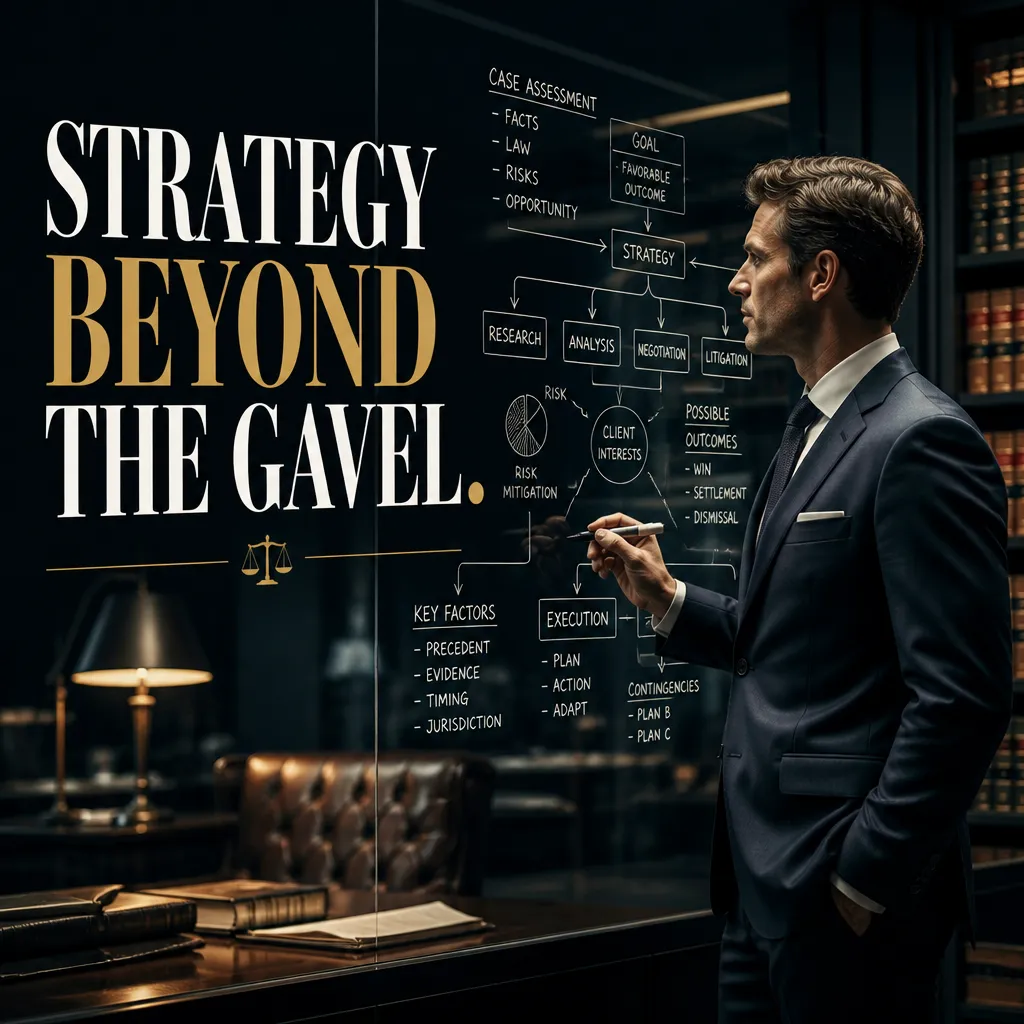
Visual reference: The Modern Architect of Law. The caption and brief below are an adaptation; replace any business details with your own.
Suggested caption — Here is the entrance for appointments at [actual address]. These are the arrival details to know.
Visual direction — A real exterior or reception photo
Make it your own — Verify directions and accessibility information.
Image brief to adapt
Create an original illustrative social image for attorneys. Concept: Show the office. Visual direction: A real exterior or reception photo. Adaptation: Verify directions and accessibility information. Use fictional scenes unless I supply authorized photographs. Keep all product, service, and business details exactly as supplied. Use [brand colors] and leave room for [business name]. Return one version with clear, short text.
4. The paperwork desk

Illustrative creative reference. Use the specific image brief below to create a version for this example.
Suggested caption — The folder is organized. The sticky notes are holding a separate conference.
Visual direction — A fictional administrative desk
Make it your own — Keep the joke about office organization, never a client's case.
Image brief to adapt
Create an original illustrative social image for attorneys. Concept: The paperwork desk. Visual direction: A fictional administrative desk. Adaptation: Keep the joke about office organization, never a client's case. Use fictional scenes unless I supply authorized photographs. Keep all product, service, and business details exactly as supplied. Use [brand colors] and leave room for [business name]. Return one version with clear, short text.
5. Describe practice areas

Illustrative creative reference. Use the specific image brief below to create a version for this example.
Suggested caption — Our firm works in [verified practice areas]. Here is where to find more information about each one.
Visual direction — A simple practice-area navigation card
Make it your own — Use accurate service descriptions and current destinations.
Image brief to adapt
Create an original illustrative social image for attorneys. Concept: Describe practice areas. Visual direction: A simple practice-area navigation card. Adaptation: Use accurate service descriptions and current destinations. Use fictional scenes unless I supply authorized photographs. Keep all product, service, and business details exactly as supplied. Use [brand colors] and leave room for [business name]. Return one version with clear, short text.
6. Introduce a general FAQ

Illustrative creative reference. Use the specific image brief below to create a version for this example.
Suggested caption — A question about the office: [administrative question]. Our current process is [verified answer].
Visual direction — A plain question-and-answer card
Make it your own — Keep the response about logistics rather than individual legal advice.
Image brief to adapt
Create an original illustrative social image for attorneys. Concept: Introduce a general FAQ. Visual direction: A plain question-and-answer card. Adaptation: Keep the response about logistics rather than individual legal advice. Use fictional scenes unless I supply authorized photographs. Keep all product, service, and business details exactly as supplied. Use [brand colors] and leave room for [business name]. Return one version with clear, short text.
7. Prepare for a first conversation
Suggested caption — Write down the questions you want to ask. Contact us for the information our team requests before a meeting.
Visual direction — A blank notebook and checklist
Make it your own — Use the firm's actual intake requirements.
Image brief to adapt
Create an original illustrative social image for attorneys. Concept: Prepare for a first conversation. Visual direction: A blank notebook and checklist. Adaptation: Use the firm's actual intake requirements. Use fictional scenes unless I supply authorized photographs. Keep all product, service, and business details exactly as supplied. Use [brand colors] and leave room for [business name]. Return one version with clear, short text.
8. Explain appointment formats
Suggested caption — Appointments are available by [actual formats]. Contact [route] to discuss arrangements.
Visual direction — Two cards for actual meeting formats
Make it your own — Do not advertise formats or prices the firm does not offer.
Image brief to adapt
Create an original illustrative social image for attorneys. Concept: Explain appointment formats. Visual direction: Two cards for actual meeting formats. Adaptation: Do not advertise formats or prices the firm does not offer. Use fictional scenes unless I supply authorized photographs. Keep all product, service, and business details exactly as supplied. Use [brand colors] and leave room for [business name]. Return one version with clear, short text.
9. Share a team routine
Suggested caption — Before a meeting: agenda checked, notes ready, and time set aside for questions.
Visual direction — A fictional empty meeting table
Make it your own — Use actual routines and keep confidential information outside the frame.
Image brief to adapt
Create an original illustrative social image for attorneys. Concept: Share a team routine. Visual direction: A fictional empty meeting table. Adaptation: Use actual routines and keep confidential information outside the frame. Use fictional scenes unless I supply authorized photographs. Keep all product, service, and business details exactly as supplied. Use [brand colors] and leave room for [business name]. Return one version with clear, short text.
10. Explain contact privacy
Suggested caption — For questions about your circumstances, use our direct contact route at [actual link].
Visual direction — A simple public-versus-private contact card
Make it your own — Do not invite personal case details in comments.
Image brief to adapt
Create an original illustrative social image for attorneys. Concept: Explain contact privacy. Visual direction: A simple public-versus-private contact card. Adaptation: Do not invite personal case details in comments. Use fictional scenes unless I supply authorized photographs. Keep all product, service, and business details exactly as supplied. Use [brand colors] and leave room for [business name]. Return one version with clear, short text.
11. Share a dated office notice
Suggested caption — Office update for [date]: [verified change]. Contact [route] with appointment questions.
Visual direction — A dated factual notice
Make it your own — Update or remove it when it expires.
Image brief to adapt
Create an original illustrative social image for attorneys. Concept: Share a dated office notice. Visual direction: A dated factual notice. Adaptation: Update or remove it when it expires. Use fictional scenes unless I supply authorized photographs. Keep all product, service, and business details exactly as supplied. Use [brand colors] and leave room for [business name]. Return one version with clear, short text.
12. Link to a useful firm page
Suggested caption — Trying to understand our [actual service] process? Start with this page: [real link].
Visual direction — A genuine page-preview image
Make it your own — Use a current firm resource and do not invent case outcomes.
Image brief to adapt
Create an original illustrative social image for attorneys. Concept: Link to a useful firm page. Visual direction: A genuine page-preview image. Adaptation: Use a current firm resource and do not invent case outcomes. Use fictional scenes unless I supply authorized photographs. Keep all product, service, and business details exactly as supplied. Use [brand colors] and leave room for [business name]. Return one version with clear, short text.
Put it into practice
Build a useful first batch
Start with “Introduce the team” and “Explain how to book.” Give each post a different role: one can introduce a person or process, another can answer a reader question, and another can invite a simple response. Keep a note of the caption, image, destination, and publishing date. Review actual questions and responses together. Revise the next batch around what people understood or asked about, rather than treating one example as a promised result.
Common questions
Can I use these examples as written?
Treat the copy as a starting point. In “Introduce the team,” keep the central situation, replace any bracketed details with your actual information, and choose a next step that your business can fulfill. Read the caption alongside the image so the two tell the same story.
Which image should I pair with “Explain how to book”?
Use the visual direction and adaptation note beside that example. The displayed image is an illustrative reference. For a post about an actual person, product, location, or completed job, use an authorized real photograph or clearly label a conceptual illustration.
How should I choose the first few examples?
Start with “Introduce the team” and a contrasting idea such as “Link to a useful firm page.” Choose examples that answer real reader questions or show something specific about your work. Keep the first batch small enough to revise after reviewing actual responses.
Can I customize these images in Studio?
Save a reference image or copy the image brief, then create your own version in Studio with your business details and visual direction. A downloaded WebP is a finished image; the brief gives you a way to develop a new variation. Review generated text and factual details before publishing.
Turn the brief into your own creative
Use these concepts to build a creative for your actual business. Browse the related example collection for more visual directions, then bring your caption and image brief into Studio.
Your starter brief
Replace the brackets with your own details.
Create an original illustrative social image for attorneys. Concept: Introduce the team. Visual direction: An authorized team portrait. Adaptation: Use accurate credentials and have the firm review the wording. Use fictional scenes unless I supply authorized photographs. Keep all product, service, and business details exactly as supplied. Use [brand colors] and leave room for [business name]. Return one version with clear, short text.