Social media
How to Turn Your Website Into 12 Social Media Posts
By Memes.ai
Updated October 6, 2026 · 5 min read

A useful social post starts with a specific situation your reader recognizes. This guide gives you 8 worked examples and practical steps, plus image references and instructions for making each one your own. Start with “extract facts from one real page,” then choose a second idea that serves a different purpose. Use the reference image for inspiration, or copy its brief into Studio to create a version with your business details.
What you’ll take away
- Choose one useful information post, one everyday moment, and one introduction from the examples.
- Pair the caption with the actual subject it describes, using an authorized photograph or an explicitly illustrative creative.
- Change one idea at a time and use actual replies, visits, or enquiries to decide which direction to develop.
1. Extract facts from one real page
Visual reference: The Shipping Paradox. The caption and brief below are an adaptation; replace any business details with your own.
Worked example — Worked example: a fictional coffee shop page lists opening hours, two drinks, takeaway collection, and a seating area. Those are four inputs, not four claims to improve.
Why it helps — Start with facts the business can stand behind. An attractive website screenshot is not permission to invent an offer.
Make it your own — Copy the facts into a short reference note. Mark uncertain or outdated information for the business to confirm.
Image brief to adapt
Create an original illustrative social image for your business. Concept: Extract facts from one real page. Visual direction: Start with facts the business can stand behind. An attractive website screenshot is not permission to invent an offer.. Adaptation: Copy the facts into a short reference note. Mark uncertain or outdated information for the business to confirm. Use fictional scenes unless I supply authorized photographs. Keep all product, service, and business details exactly as supplied. Use [brand colors] and leave room for [business name]. Return one version with clear, short text.
2. List twelve customer questions
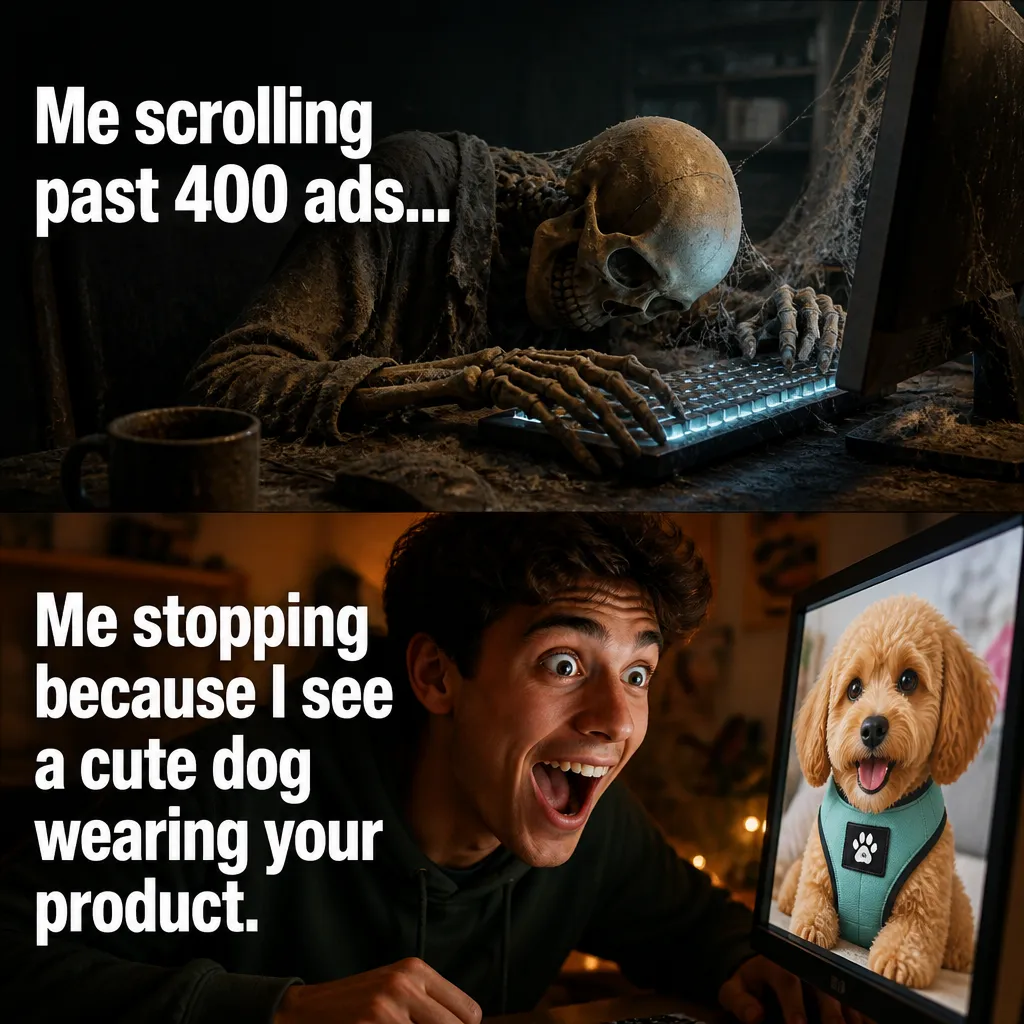
Visual reference: The Infinite Scroll. The caption and brief below are an adaptation; replace any business details with your own.
Worked example — For the coffee shop: when are you open, where are you, what is on the menu, how do I collect an order, who is behind the counter, and what can I expect when I arrive? Add six more specific questions from real enquiries.
Why it helps — Questions create a useful reason for a post and prevent twelve versions of the same sales line.
Make it your own — Use actual enquiries with identifying details removed. Separate general service questions from private customer issues.
Image brief to adapt
Create an original illustrative social image for your business. Concept: List twelve customer questions. Visual direction: Questions create a useful reason for a post and prevent twelve versions of the same sales line.. Adaptation: Use actual enquiries with identifying details removed. Separate general service questions from private customer issues. Use fictional scenes unless I supply authorized photographs. Keep all product, service, and business details exactly as supplied. Use [brand colors] and leave room for [business name]. Return one version with clear, short text.
3. Build three different premises

Visual reference: The Retargeting Ghost. The caption and brief below are an adaptation; replace any business details with your own.
Worked example — Premise A: the morning drink choice. Premise B: a coffee-only visit that encounters the pastry case. Premise C: the extremely well-organized takeaway checklist.
Why it helps — Changing the premise creates a real creative alternative; changing colors on one idea does not answer a new question.
Make it your own — Write one sentence naming the audience, moment, and payoff for each direction before generating an image.
Image brief to adapt
Create an original illustrative social image for your business. Concept: Build three different premises. Visual direction: Changing the premise creates a real creative alternative; changing colors on one idea does not answer a new question.. Adaptation: Write one sentence naming the audience, moment, and payoff for each direction before generating an image. Use fictional scenes unless I supply authorized photographs. Keep all product, service, and business details exactly as supplied. Use [brand colors] and leave room for [business name]. Return one version with clear, short text.
4. Match facts to each caption

Visual reference: Product vs. Reality. The caption and brief below are an adaptation; replace any business details with your own.
Worked example — Draft: First decision of the day: [actual drink A] or [actual drink B]? We open at [verified time]. The joke and the factual line do different jobs.
Why it helps — The caption can give practical information while the visual makes the situation recognizable.
Make it your own — Keep placeholders until the business provides the facts. Do not publish an invented opening time or menu item.
Image brief to adapt
Create an original illustrative social image for your business. Concept: Match facts to each caption. Visual direction: The caption can give practical information while the visual makes the situation recognizable.. Adaptation: Keep placeholders until the business provides the facts. Do not publish an invented opening time or menu item. Use fictional scenes unless I supply authorized photographs. Keep all product, service, and business details exactly as supplied. Use [brand colors] and leave room for [business name]. Return one version with clear, short text.
5. Create a visual for each illustrated post

Visual reference: The Deconstructed Box. The caption and brief below are an adaptation; replace any business details with your own.
Worked example — Use a real product photo for an actual menu item. Use a clearly fictional customer scene for the pastry-choice joke. Use an original diagram for collection steps.
Why it helps — Different information needs different evidence. A fictional illustration can explain a premise, but it does not document a product or venue.
Make it your own — Review the image for readable text, product accuracy, and a useful crop before writing a longer caption.
Image brief to adapt
Create an original illustrative social image for your business. Concept: Create a visual for each illustrated post. Visual direction: Different information needs different evidence. A fictional illustration can explain a premise, but it does not document a product or venue.. Adaptation: Review the image for readable text, product accuracy, and a useful crop before writing a longer caption. Use fictional scenes unless I supply authorized photographs. Keep all product, service, and business details exactly as supplied. Use [brand colors] and leave room for [business name]. Return one version with clear, short text.
6. Turn the question list into twelve posts

Illustrative creative reference. Use the specific image brief below to create a version for this example.
Worked example — The twelve outputs can be: hours, directions, menu choice, collection process, team introduction, seating information, one joke, one preparation detail, an actual seasonal item, a FAQ, an actual resource, and a visit checklist.
Why it helps — The outputs differ in purpose, so a small batch can be useful without making every post a promotion.
Make it your own — Keep each post focused on one question. Add the corresponding real page or contact route when a next step is needed.
Image brief to adapt
Create an original illustrative social image for your business. Concept: Turn the question list into twelve posts. Visual direction: The outputs differ in purpose, so a small batch can be useful without making every post a promotion.. Adaptation: Keep each post focused on one question. Add the corresponding real page or contact route when a next step is needed. Use fictional scenes unless I supply authorized photographs. Keep all product, service, and business details exactly as supplied. Use [brand colors] and leave room for [business name]. Return one version with clear, short text.
7. Review the source and output together
Worked example — For each post, point to the source of the factual sentence. Then identify which parts are original creative and which are practical information.
Why it helps — This catches accidental claims that appeared during drafting and keeps the batch tied to the business.
Make it your own — Remove facts that cannot be traced. Never turn a fictional scene into a customer story.
Image brief to adapt
Create an original illustrative social image for your business. Concept: Review the source and output together. Visual direction: This catches accidental claims that appeared during drafting and keeps the batch tied to the business.. Adaptation: Remove facts that cannot be traced. Never turn a fictional scene into a customer story. Use fictional scenes unless I supply authorized photographs. Keep all product, service, and business details exactly as supplied. Use [brand colors] and leave room for [business name]. Return one version with clear, short text.
8. Plan a manageable rotation
Worked example — Use three posts per week as a starting exercise: one useful answer, one brand or team detail, and one original creative premise. Four weeks gives the twelve-post batch room to breathe.
Why it helps — A rotation makes it easier to learn which tasks the audience responds to without publishing all drafts at once.
Make it your own — Treat the schedule as an experiment. Record relevant questions and actual enquiries, then adjust the mix.
Image brief to adapt
Create an original illustrative social image for your business. Concept: Plan a manageable rotation. Visual direction: A rotation makes it easier to learn which tasks the audience responds to without publishing all drafts at once.. Adaptation: Treat the schedule as an experiment. Record relevant questions and actual enquiries, then adjust the mix. Use fictional scenes unless I supply authorized photographs. Keep all product, service, and business details exactly as supplied. Use [brand colors] and leave room for [business name]. Return one version with clear, short text.
Put it into practice
Build the twelve-post batch
Take the four verified inputs in the coffee-shop example: hours, drinks, collection, and seating. Draft one factual announcement, one reader question, and one everyday moment for each input. That gives twelve distinct posts. Review all twelve captions together, then review their images separately. Schedule the strongest few first, so you can learn from real responses before committing the whole batch.
Common questions
Can I use these examples as written?
Treat the copy as a starting point. In “Extract facts from one real page,” keep the central situation, replace any bracketed details with your actual information, and choose a next step that your business can fulfill. Read the caption alongside the image so the two tell the same story.
Which image should I pair with “List twelve customer questions”?
Use the visual direction and adaptation note beside that example. The displayed image is an illustrative reference. For a post about an actual person, product, location, or completed job, use an authorized real photograph or clearly label a conceptual illustration.
How should I choose the first few examples?
Start with “Extract facts from one real page” and a contrasting idea such as “Plan a manageable rotation.” Choose examples that answer real reader questions or show something specific about your work. Keep the first batch small enough to revise after reviewing actual responses.
Can I customize these images in Studio?
Save a reference image or copy the image brief, then create your own version in Studio with your business details and visual direction. A downloaded WebP is a finished image; the brief gives you a way to develop a new variation. Review generated text and factual details before publishing.
Turn the brief into your own creative
Use these concepts to build a creative for your actual business. Browse the related example collection for more visual directions, then bring your caption and image brief into Studio.
Your starter brief
Replace the brackets with your own details.
Create an original illustrative social image for your business. Concept: Extract facts from one real page. Visual direction: Start with facts the business can stand behind. An attractive website screenshot is not permission to invent an offer.. Adaptation: Copy the facts into a short reference note. Mark uncertain or outdated information for the business to confirm. Use fictional scenes unless I supply authorized photographs. Keep all product, service, and business details exactly as supplied. Use [brand colors] and leave room for [business name]. Return one version with clear, short text.