Industry playbooks
12 Tutoring Business Social Media Post Ideas, With Captions
By Memes.ai
Updated October 6, 2026 · 4 min read
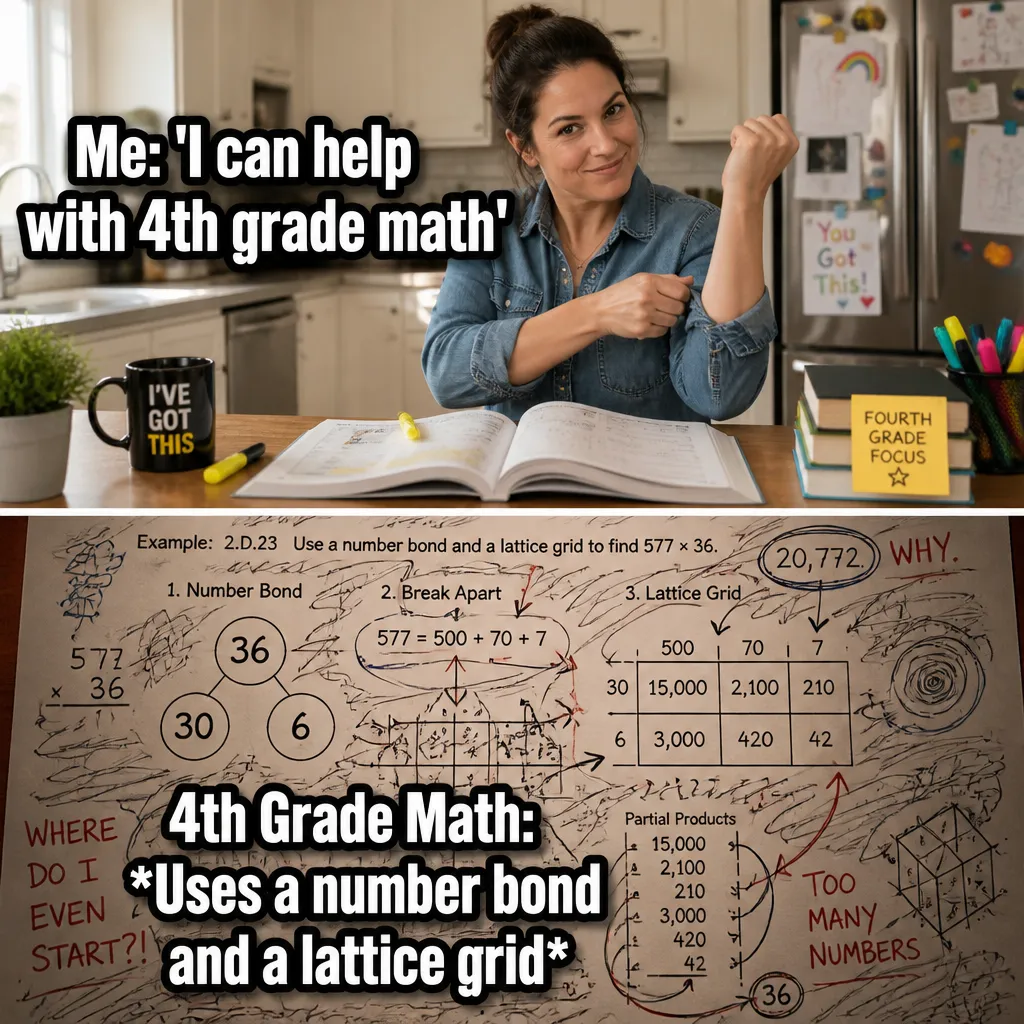
A useful social post starts with a specific situation your reader recognizes. This guide gives you 12 post ideas with suggested captions, plus image references and instructions for making each one your own. Start with “introduce the tutor,” then choose a second idea that serves a different purpose. Use the reference image for inspiration, or copy its brief into Studio to create a version with your business details.
What you’ll take away
- Choose one useful information post, one everyday moment, and one introduction from the examples.
- Pair the caption with the actual subject it describes, using an authorized photograph or an explicitly illustrative creative.
- Change one idea at a time and use actual replies, visits, or enquiries to decide which direction to develop.
1. Introduce the tutor
Visual reference: The Parent Math Paradox. The caption and brief below are an adaptation; replace any business details with your own.
Suggested caption — Meet [name]. They work with [actual subjects and audience] at [business].
Visual direction — An authorized tutor portrait
Make it your own — Use accurate qualifications and scope.
Image brief to adapt
Create an original illustrative social image for education businesses. Concept: Introduce the tutor. Visual direction: An authorized tutor portrait. Adaptation: Use accurate qualifications and scope. Use fictional scenes unless I supply authorized photographs. Keep all product, service, and business details exactly as supplied. Use [brand colors] and leave room for [business name]. Return one version with clear, short text.
2. The study timetable

Visual reference: The Google Search Struggle. The caption and brief below are an adaptation; replace any business details with your own.
Suggested caption — The timetable is organized. The stationery is very enthusiastic.
Visual direction — A fictional study desk
Make it your own — Keep the joke about preparation rather than a student's ability.
Image brief to adapt
Create an original illustrative social image for education businesses. Concept: The study timetable. Visual direction: A fictional study desk. Adaptation: Keep the joke about preparation rather than a student's ability. Use fictional scenes unless I supply authorized photographs. Keep all product, service, and business details exactly as supplied. Use [brand colors] and leave room for [business name]. Return one version with clear, short text.
3. Explain a first session

Visual reference: The Report Card Panic. The caption and brief below are an adaptation; replace any business details with your own.
Suggested caption — A first session includes [actual steps]. Here is what to bring or ask beforehand.
Visual direction — A blank preparation checklist
Make it your own — Use your real process and no promised grade improvements.
Image brief to adapt
Create an original illustrative social image for education businesses. Concept: Explain a first session. Visual direction: A blank preparation checklist. Adaptation: Use your real process and no promised grade improvements. Use fictional scenes unless I supply authorized photographs. Keep all product, service, and business details exactly as supplied. Use [brand colors] and leave room for [business name]. Return one version with clear, short text.
4. Share an original practice prompt

Illustrative creative reference. Use the specific image brief below to create a version for this example.
Suggested caption — Try this discussion question from our team: [original appropriate question].
Visual direction — Your own practice card
Make it your own — Check the content for accuracy and match it to the actual level.
Image brief to adapt
Create an original illustrative social image for education businesses. Concept: Share an original practice prompt. Visual direction: Your own practice card. Adaptation: Check the content for accuracy and match it to the actual level. Use fictional scenes unless I supply authorized photographs. Keep all product, service, and business details exactly as supplied. Use [brand colors] and leave room for [business name]. Return one version with clear, short text.
5. The many-tabs moment

Illustrative creative reference. Use the specific image brief below to create a version for this example.
Suggested caption — Looking up one question. The browser assembled a revision group.
Visual direction — A fictional desk with generic research tabs
Make it your own — Use fake screens and no private student work.
Image brief to adapt
Create an original illustrative social image for education businesses. Concept: The many-tabs moment. Visual direction: A fictional desk with generic research tabs. Adaptation: Use fake screens and no private student work. Use fictional scenes unless I supply authorized photographs. Keep all product, service, and business details exactly as supplied. Use [brand colors] and leave room for [business name]. Return one version with clear, short text.
6. Explain booking logistics

Illustrative creative reference. Use the specific image brief below to create a version for this example.
Suggested caption — To ask about [actual session type], start with [contact route].
Visual direction — A factual session-information card
Make it your own — Verify times, format, and prices if included.
Image brief to adapt
Create an original illustrative social image for education businesses. Concept: Explain booking logistics. Visual direction: A factual session-information card. Adaptation: Verify times, format, and prices if included. Use fictional scenes unless I supply authorized photographs. Keep all product, service, and business details exactly as supplied. Use [brand colors] and leave room for [business name]. Return one version with clear, short text.
7. Show the learning space
Suggested caption — A look at [actual room or setup] before a session begins.
Visual direction — An authorized empty learning-space photo
Make it your own — Do not identify students without appropriate permission.
Image brief to adapt
Create an original illustrative social image for education businesses. Concept: Show the learning space. Visual direction: An authorized empty learning-space photo. Adaptation: Do not identify students without appropriate permission. Use fictional scenes unless I supply authorized photographs. Keep all product, service, and business details exactly as supplied. Use [brand colors] and leave room for [business name]. Return one version with clear, short text.
8. The notebook collection
Suggested caption — One subject. Three notebooks. A passionate approach to headings.
Visual direction — A fictional study kit
Make it your own — Keep the tone welcoming to different learning habits.
Image brief to adapt
Create an original illustrative social image for education businesses. Concept: The notebook collection. Visual direction: A fictional study kit. Adaptation: Keep the tone welcoming to different learning habits. Use fictional scenes unless I supply authorized photographs. Keep all product, service, and business details exactly as supplied. Use [brand colors] and leave room for [business name]. Return one version with clear, short text.
9. Describe your subject scope
Suggested caption — Our sessions cover [actual subjects]. Find the details at [real page].
Visual direction — A subject-navigation card
Make it your own — Use real scope and avoid universal suitability claims.
Image brief to adapt
Create an original illustrative social image for education businesses. Concept: Describe your subject scope. Visual direction: A subject-navigation card. Adaptation: Use real scope and avoid universal suitability claims. Use fictional scenes unless I supply authorized photographs. Keep all product, service, and business details exactly as supplied. Use [brand colors] and leave room for [business name]. Return one version with clear, short text.
10. Explain feedback
Suggested caption — After a session, our feedback process is [actual steps].
Visual direction — A blank feedback-format example
Make it your own — Show invented information, not a real student's assessment.
Image brief to adapt
Create an original illustrative social image for education businesses. Concept: Explain feedback. Visual direction: A blank feedback-format example. Adaptation: Show invented information, not a real student's assessment. Use fictional scenes unless I supply authorized photographs. Keep all product, service, and business details exactly as supplied. Use [brand colors] and leave room for [business name]. Return one version with clear, short text.
11. Answer a preparation question
Suggested caption — A common session question: [actual question]. Our current answer: [verified detail].
Visual direction — A simple question card
Make it your own — Give factual logistics rather than diagnosing a learning difficulty.
Image brief to adapt
Create an original illustrative social image for education businesses. Concept: Answer a preparation question. Visual direction: A simple question card. Adaptation: Give factual logistics rather than diagnosing a learning difficulty. Use fictional scenes unless I supply authorized photographs. Keep all product, service, and business details exactly as supplied. Use [brand colors] and leave room for [business name]. Return one version with clear, short text.
12. Invite a useful topic
Suggested caption — What would help you prepare: a session overview, subject details, or our booking process?
Visual direction — Three practical topic cards
Make it your own — Route personal information to your private contact method.
Image brief to adapt
Create an original illustrative social image for education businesses. Concept: Invite a useful topic. Visual direction: Three practical topic cards. Adaptation: Route personal information to your private contact method. Use fictional scenes unless I supply authorized photographs. Keep all product, service, and business details exactly as supplied. Use [brand colors] and leave room for [business name]. Return one version with clear, short text.
Put it into practice
Build a useful first batch
Start with “Introduce the tutor” and “The study timetable.” Give each post a different role: one can introduce a person or process, another can answer a reader question, and another can invite a simple response. Keep a note of the caption, image, destination, and publishing date. Review actual questions and responses together. Revise the next batch around what people understood or asked about, rather than treating one example as a promised result.
Common questions
Can I use these examples as written?
Treat the copy as a starting point. In “Introduce the tutor,” keep the central situation, replace any bracketed details with your actual information, and choose a next step that your business can fulfill. Read the caption alongside the image so the two tell the same story.
Which image should I pair with “The study timetable”?
Use the visual direction and adaptation note beside that example. The displayed image is an illustrative reference. For a post about an actual person, product, location, or completed job, use an authorized real photograph or clearly label a conceptual illustration.
How should I choose the first few examples?
Start with “Introduce the tutor” and a contrasting idea such as “Invite a useful topic.” Choose examples that answer real reader questions or show something specific about your work. Keep the first batch small enough to revise after reviewing actual responses.
Can I customize these images in Studio?
Save a reference image or copy the image brief, then create your own version in Studio with your business details and visual direction. A downloaded WebP is a finished image; the brief gives you a way to develop a new variation. Review generated text and factual details before publishing.
Turn the brief into your own creative
Use these concepts to build a creative for your actual business. Browse the related example collection for more visual directions, then bring your caption and image brief into Studio.
Your starter brief
Replace the brackets with your own details.
Create an original illustrative social image for education businesses. Concept: Introduce the tutor. Visual direction: An authorized tutor portrait. Adaptation: Use accurate qualifications and scope. Use fictional scenes unless I supply authorized photographs. Keep all product, service, and business details exactly as supplied. Use [brand colors] and leave room for [business name]. Return one version with clear, short text.